
Track Inventory Across Your Portfolio
What’s covered
Track Missing Inventory and Trust Captures with Inventory Enhancements
happy-property
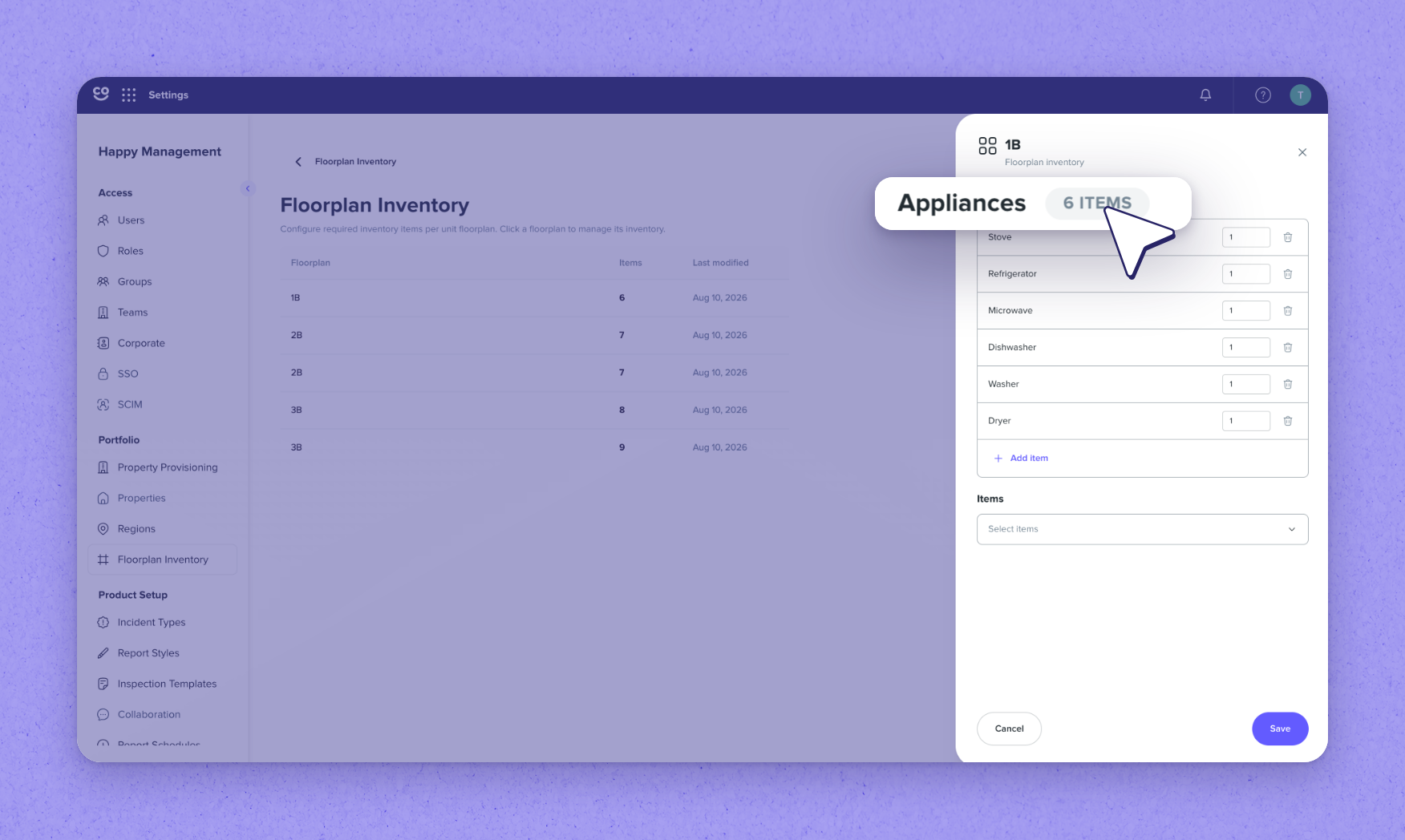
1Configure floor plan inventory in Settings
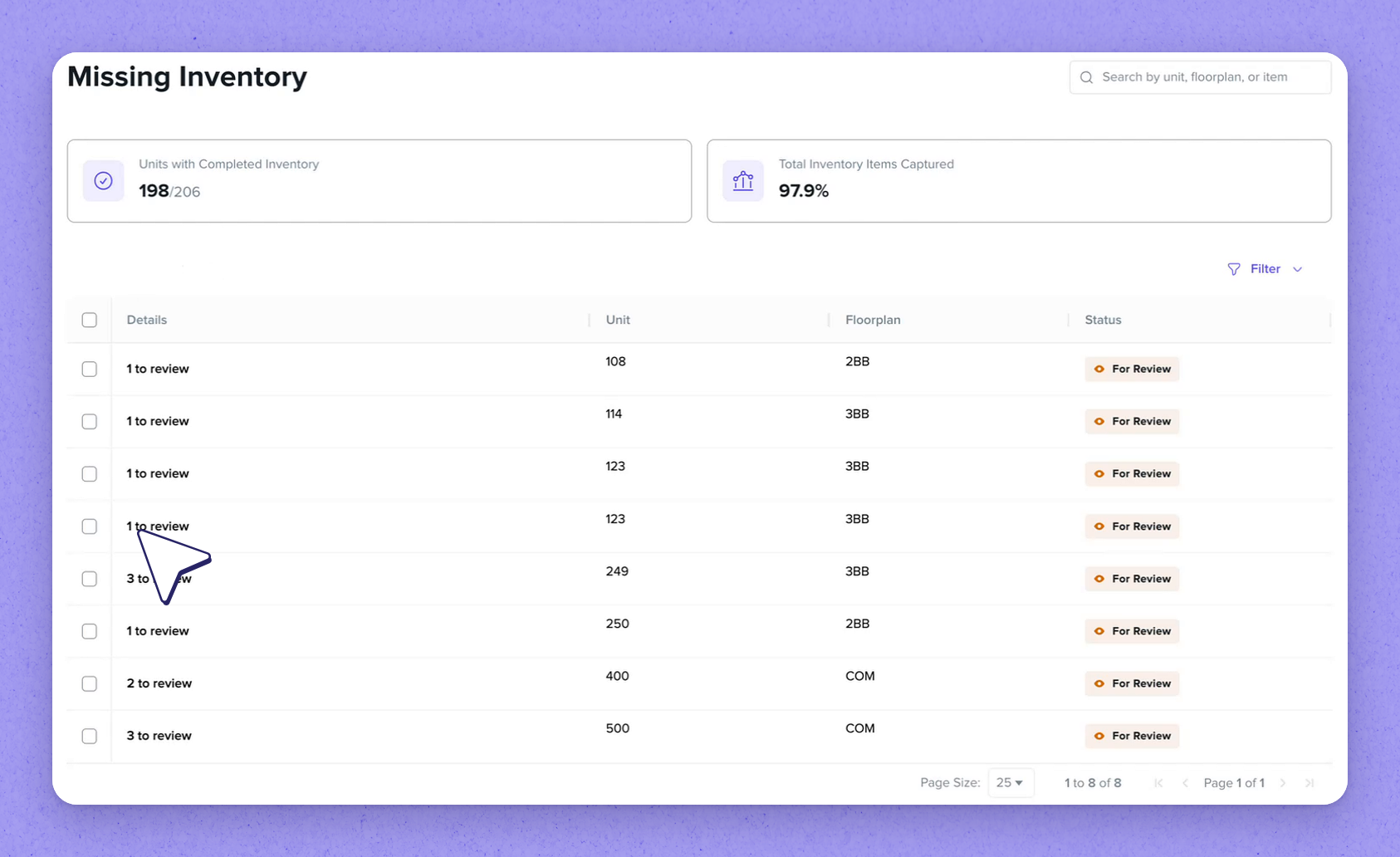
2Review the Missing Inventory page
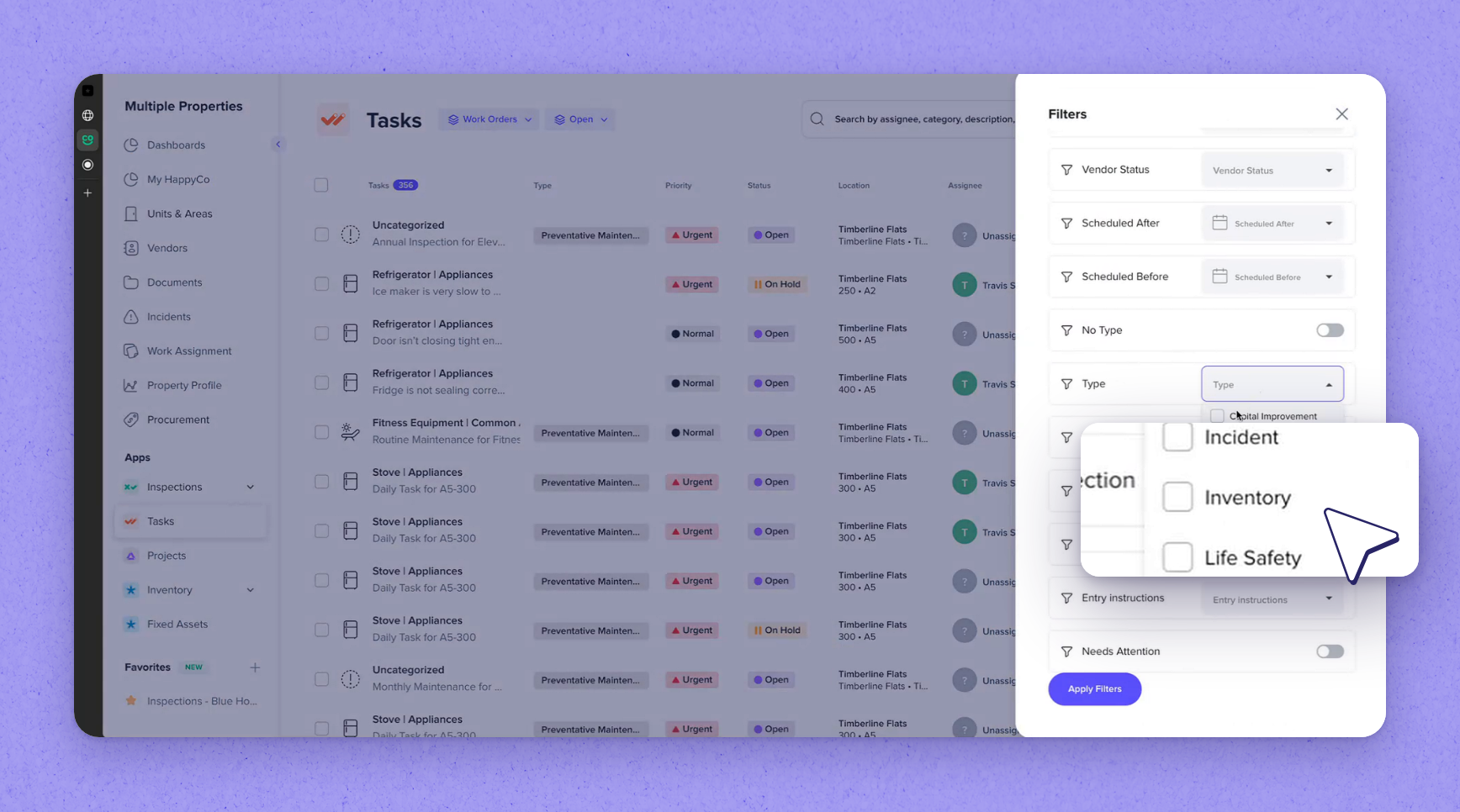
3Find the capture work order in the app
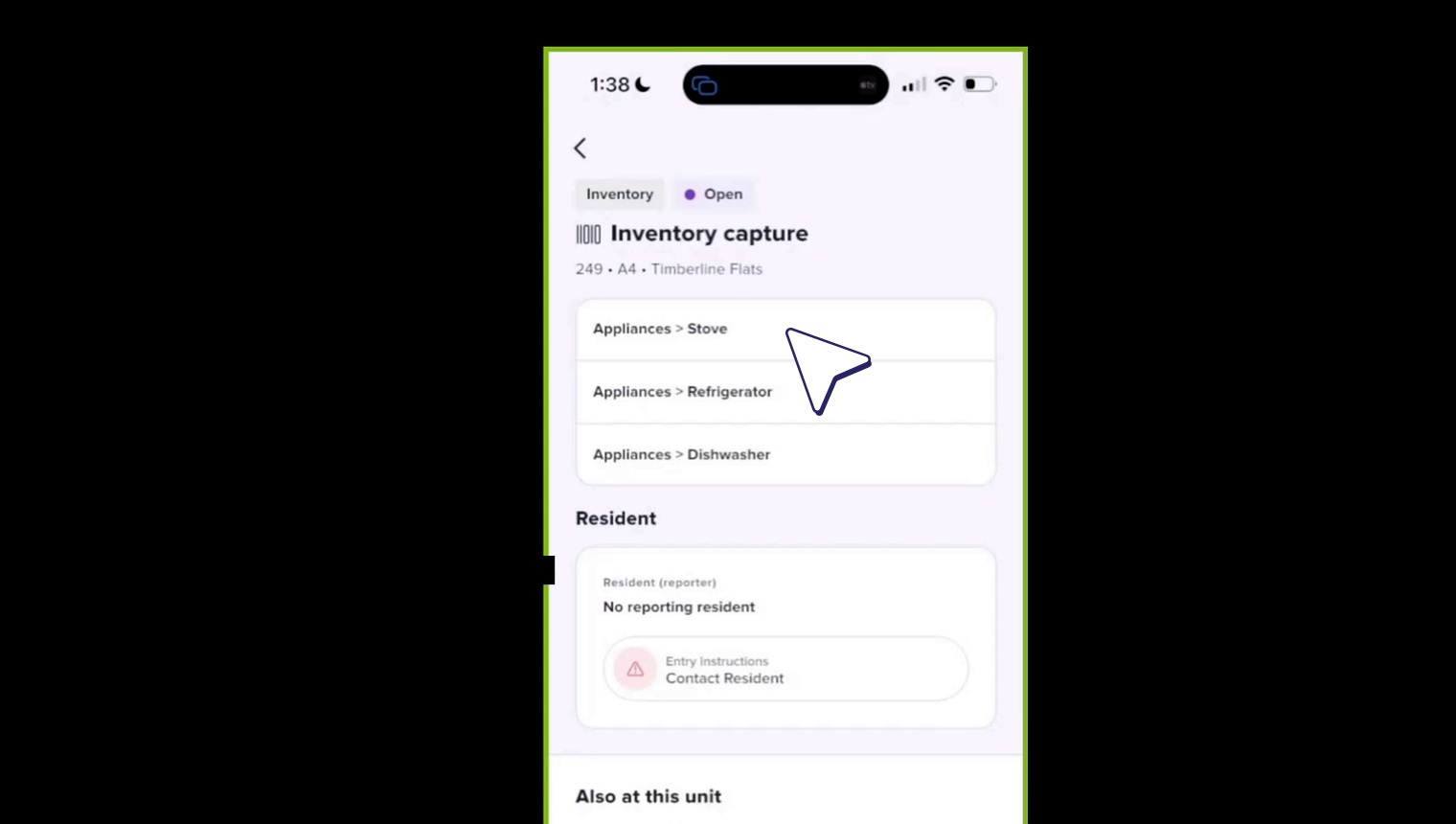
4Capture serial plates on the phone
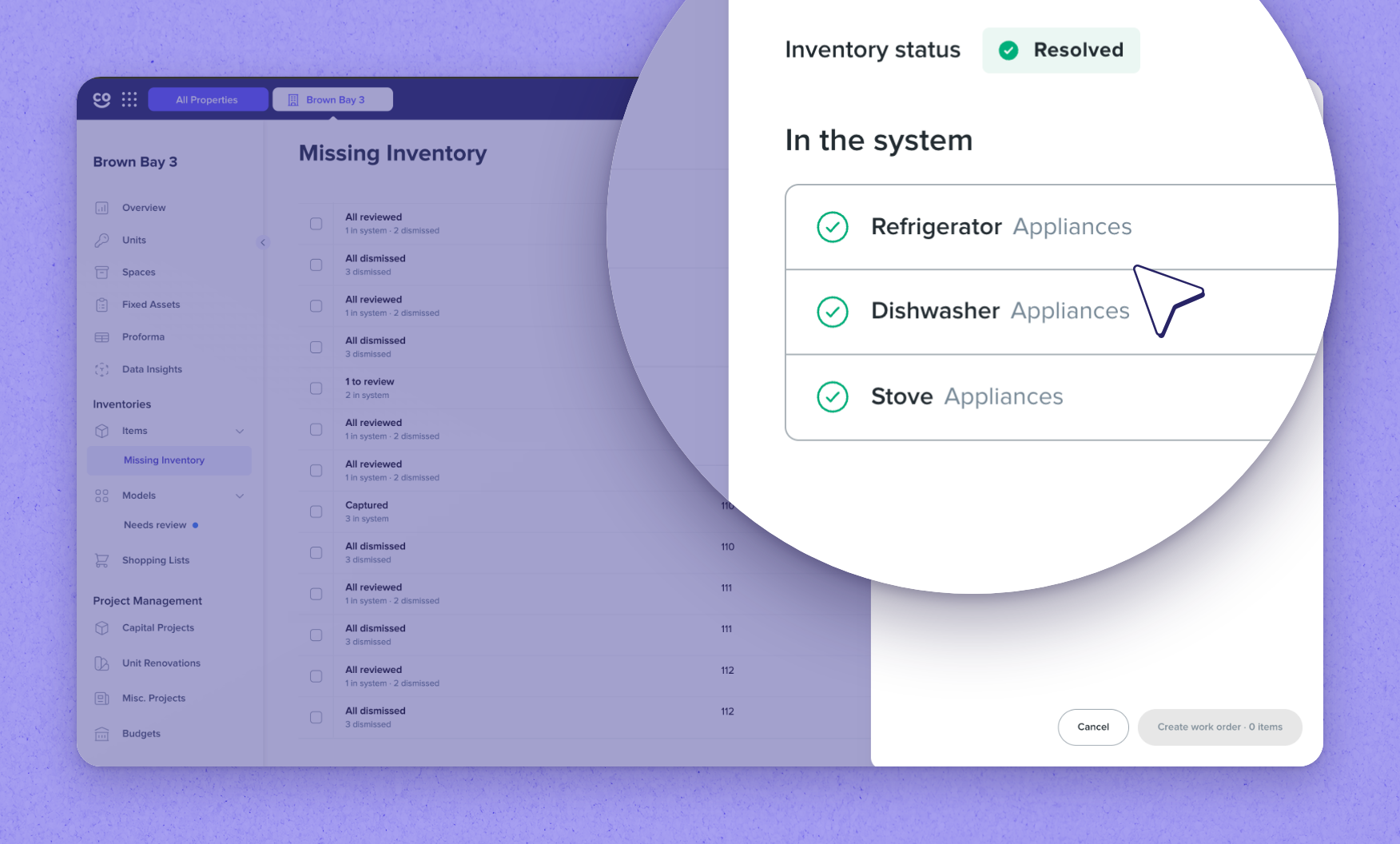
5Resolve units on Missing Inventory
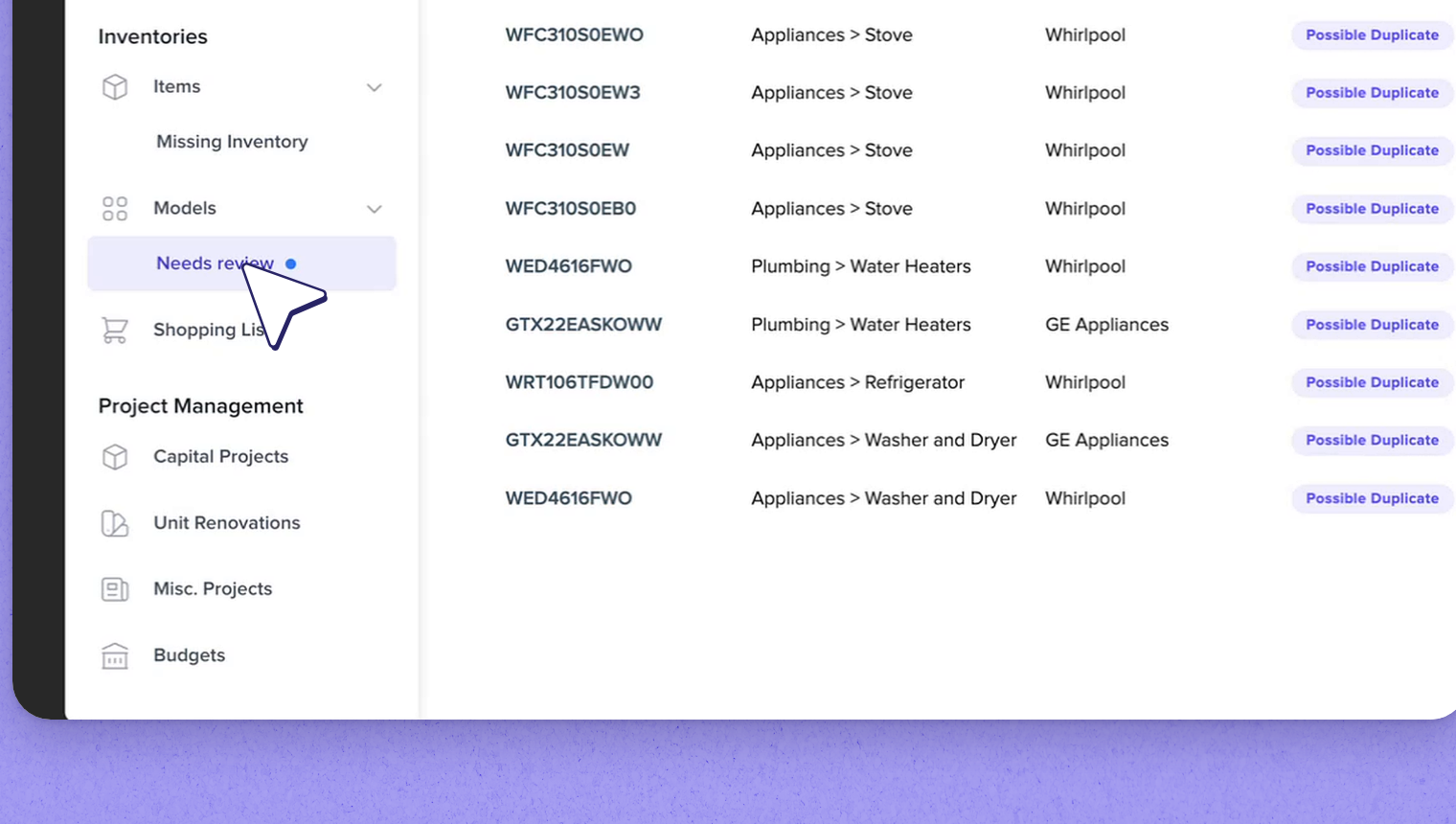
6Review flagged and low-confidence captures
7Expanded model data and reliability
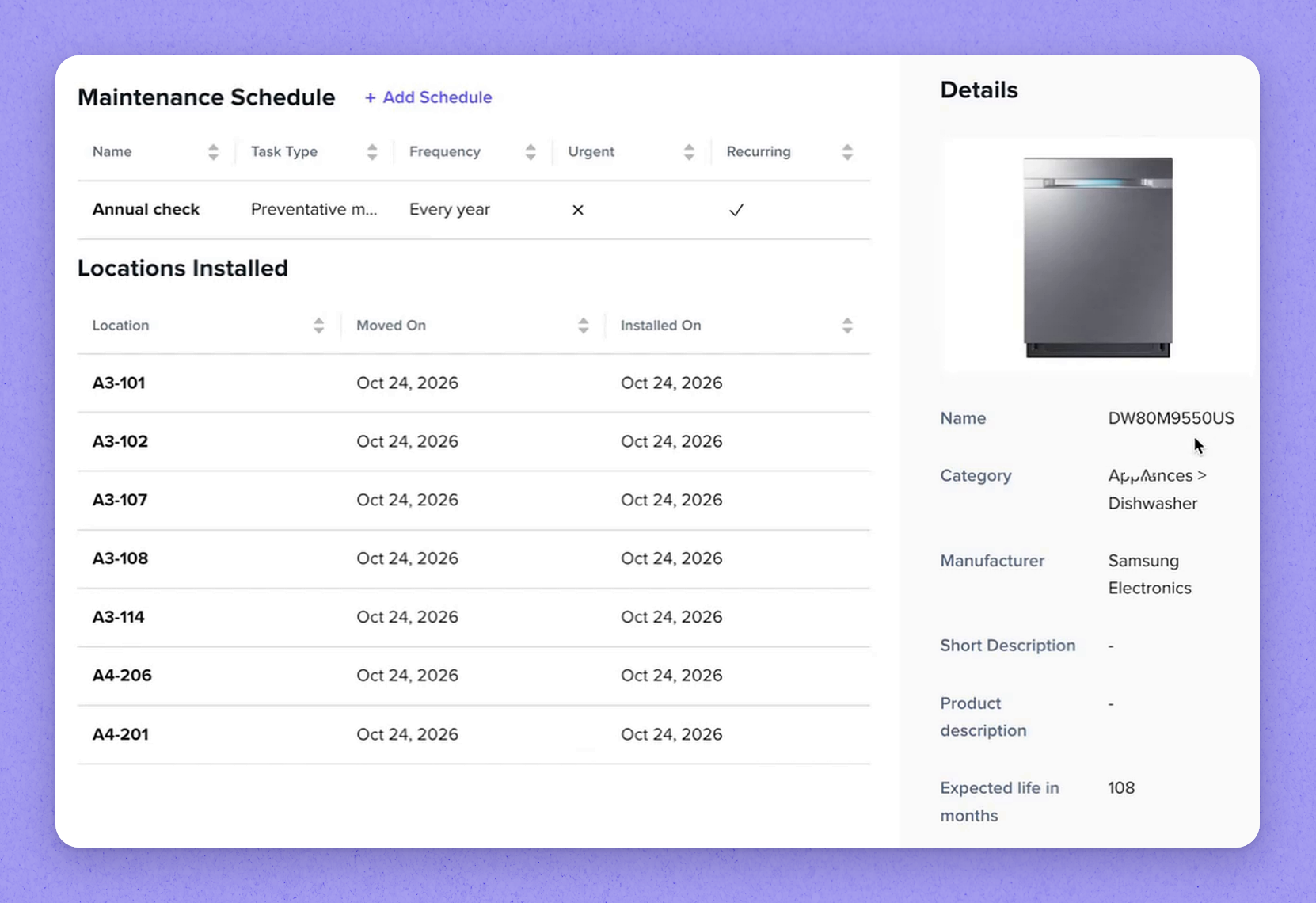
Default model data HappyCo provides for an inventory model
| Data | What it provides |
|---|---|
| Stock image | A default image of the model |
| Expected life | Expected life in months |
| Warranty | The manufacturer's warranty |
| Product dimensions | The model's dimensions |
| Replacement parts | Listed replacement parts for the model |
| Error codes | Error codes with a troubleshooting protocol and recommended parts for each |
| Default files | Energy guide, product specification, user manual and warranty, attached automatically to captured items |
| Estimated warranty end date | Calculated per item from its manufacture date and the model's warranty |
Frequently asked questions
New role permissions. One permission controls who can configure floor plan inventory, and another controls who can view or manage the Missing Inventory page.
Once every item it was missing has been either captured or dismissed. You can dismiss an outstanding item with an optional reason.
It collects models flagged from capture, such as possible duplicates, so they can be compared, corrected and merged before being approved. It also surfaces low-confidence captures, where the system couldn't confidently read a model number or manufacturer.
Each item's estimated warranty end date is based on its manufacture date and the model's warranty, which supports more accurate end-of-life reporting across your inventory.
See it in your properties
HappyCo brings inspections, maintenance and on-call operations into one connected platform.
Made with HappyCo Studio · happy.co