HappyCoBook a demo

Sourcing by HappyCo

The Vendor Experience: Reviewing, Bidding, and Q&A

Shows the vendor's perspective — receiving the invitation, accepting the event, submitting line-item pricing, answering the questionnaire, and building a Gantt-based execution schedule, with Joy handling Q&A automatically.

What’s covered

  1. 1Vendors receive the invitation
  2. 2Review and accept the opportunity
  3. 3Ask questions with built-in Q&A
  4. 4How Joy drafts answers automatically
  5. 5Vendors get replies instantly
  6. 6Price line items and add new ones
  7. 7Respond to the questionnaire
  8. 8Bid submission pulls profile documents
  9. 9Build the vendor schedule
  10. 10View the plan on a Gantt timeline

What Vendors Experience in Sourcing: From Invitation to Bid Submission

Sourcing by HappyCo

This article walks you through what your vendors see and do in a Sourcing by HappyCo event — from receiving your invitation, to reviewing the opportunity, asking questions, pricing line items, and submitting a complete bid. It's written as a walkthrough of the vendor's side so that, as a sourcing manager, you understand their experience and can run a smoother event. Understanding this journey helps you get better responses back.

1Vendors receive the invitation

Vendors receive the invitation
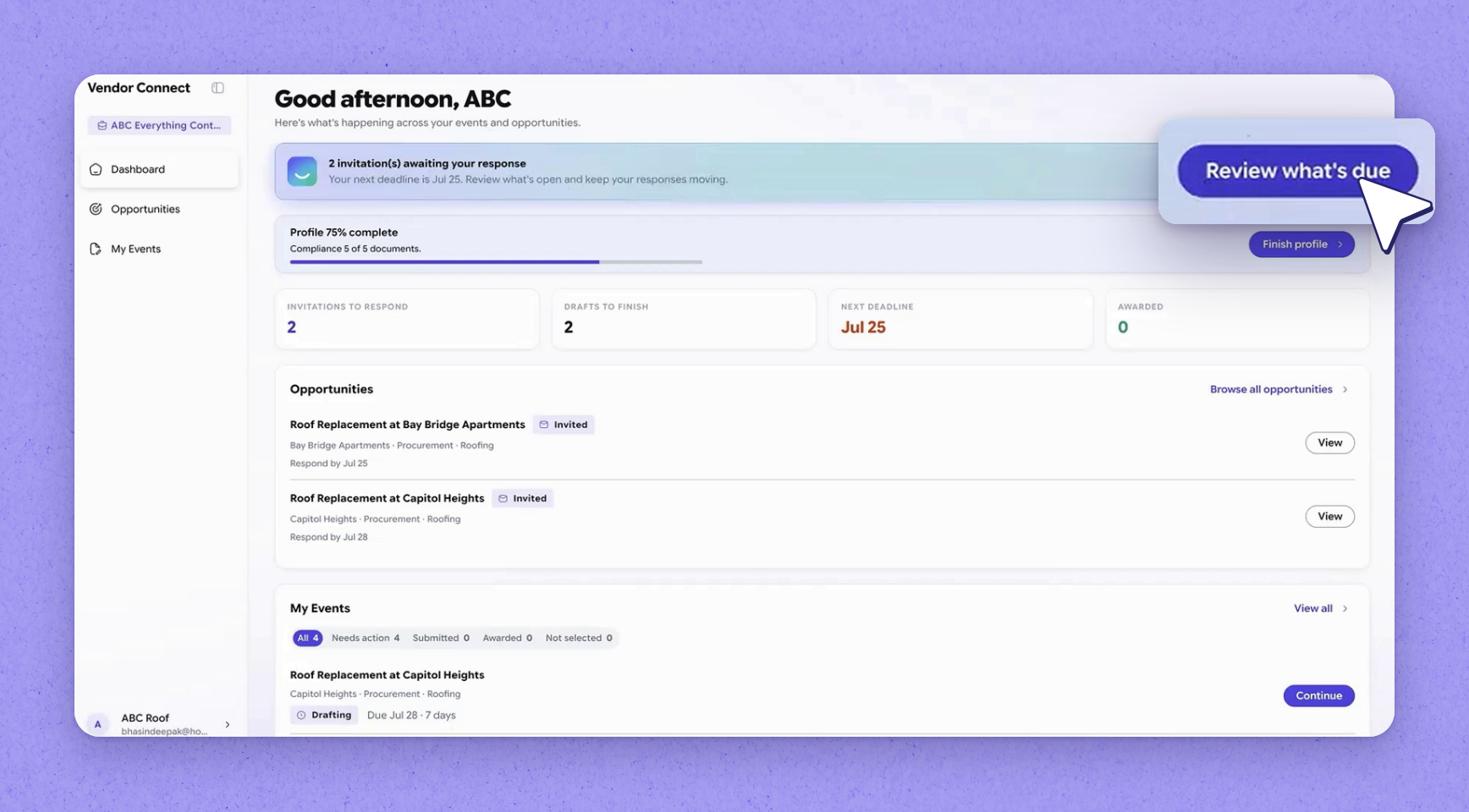
Vendors who are part of Vendor Connect and have already registered get an email when a new sourcing invitation comes their way for your event. They log straight into the system from that invitation. Right at the top of their landing page, they can see the opportunities waiting for them — in this walkthrough, two new opportunities they've been invited to bid on.

2Review and accept the opportunity

Review and accept the opportunity
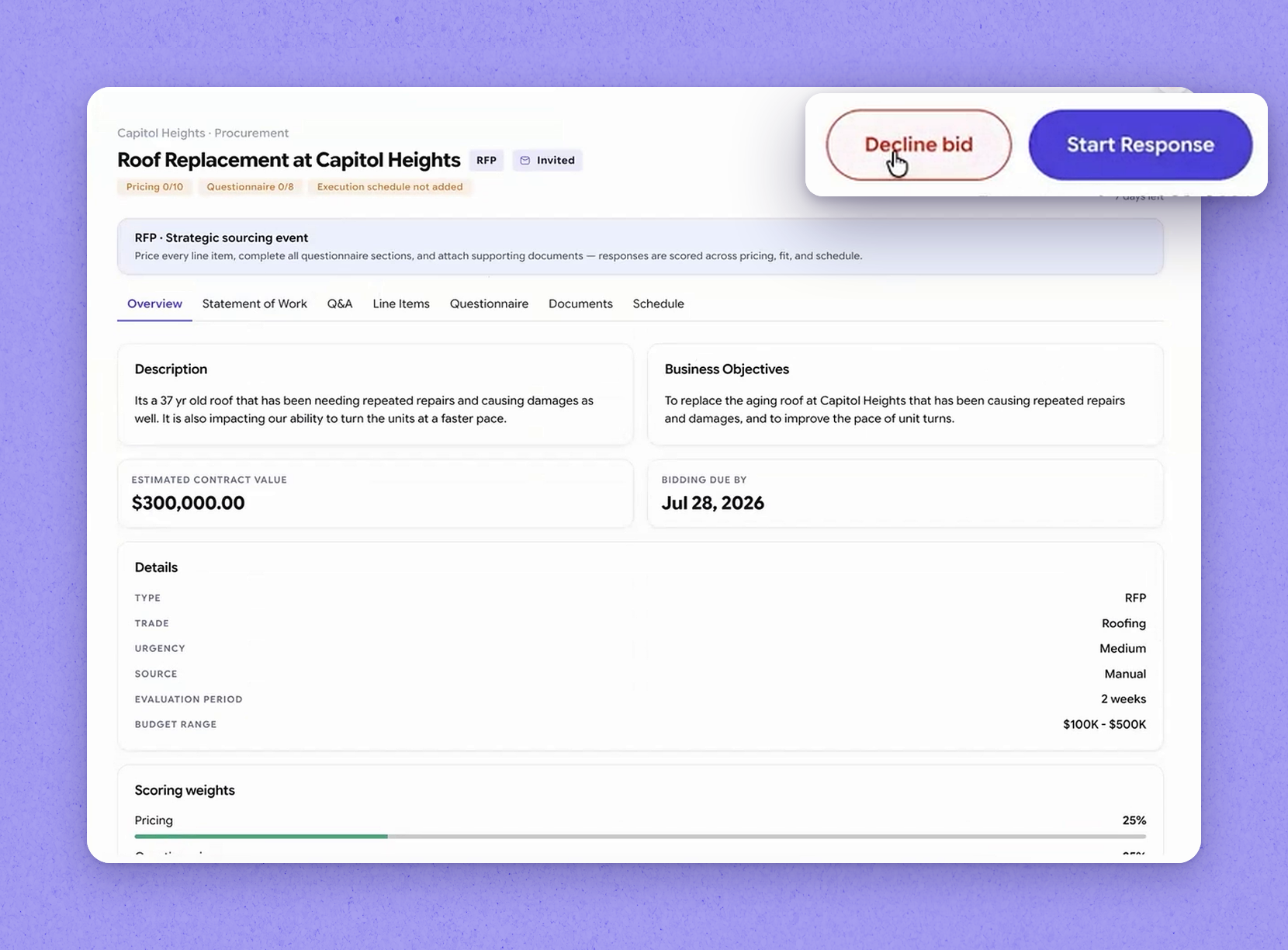
The vendor opens an opportunity to view it and decides right there whether they want to participate. The initial view gives them high-level information — enough to make that first call — and they can accept or decline the event. Once they accept, everything else opens up to them: the line items and the questionnaires, so they're ready to respond.
Tip · The details shown in this initial cut can change as the event is refined, so vendors see the high-level information first before they commit.

3Ask questions with built-in Q&A

Ask questions with built-in Q&A
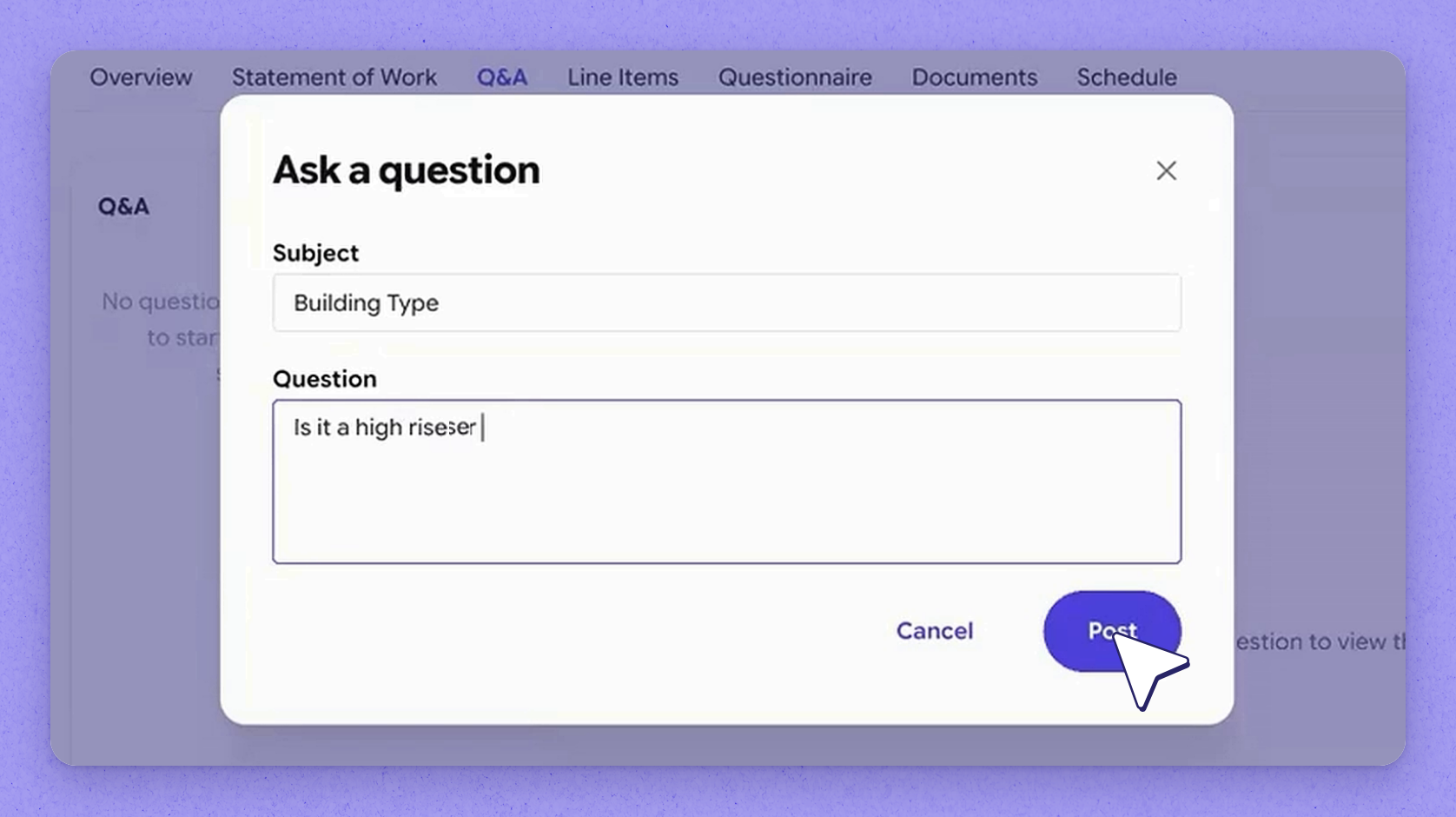
Sourcing by HappyCo includes a built-in Q&A capability. If a vendor has a question about the event, they simply post it right there in the Q&A rather than sending back-and-forth emails.

4How Joy drafts answers automatically

How Joy drafts answers automatically
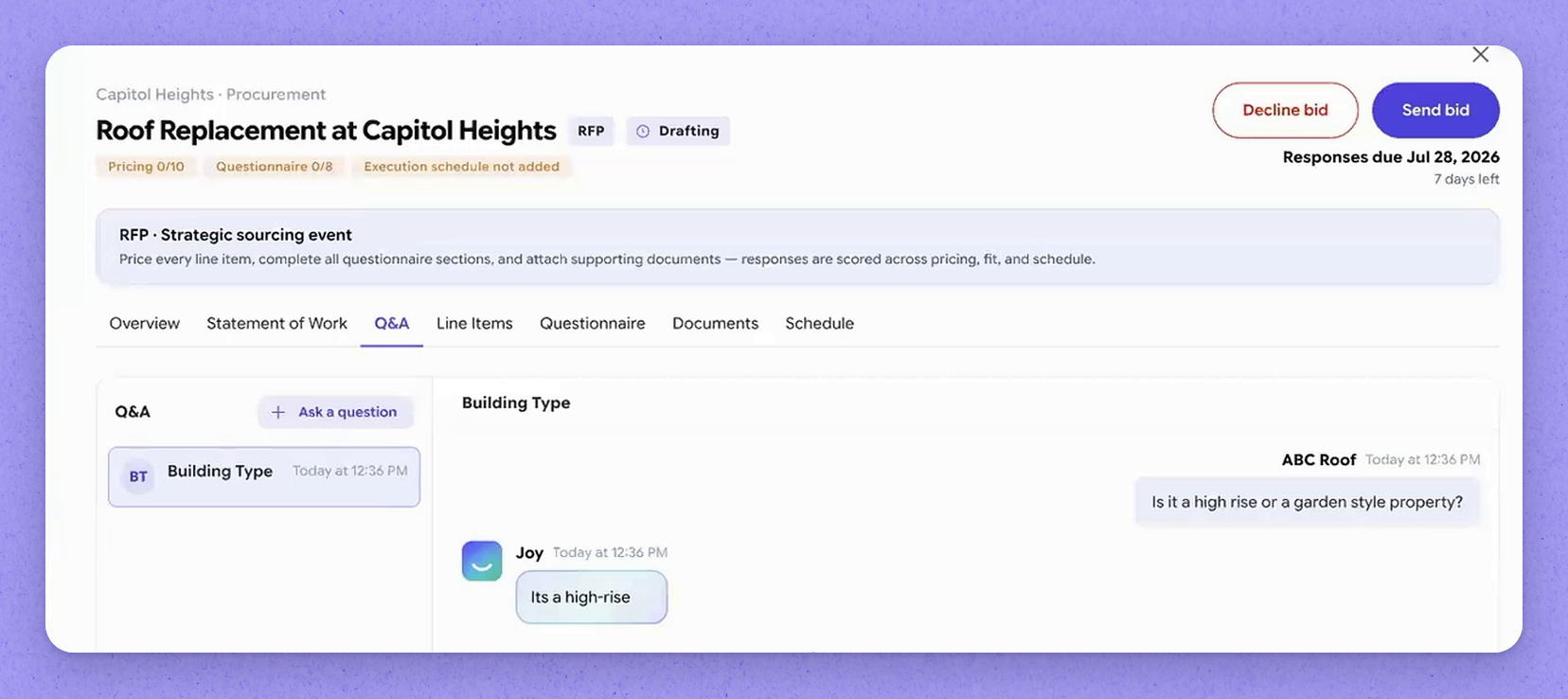
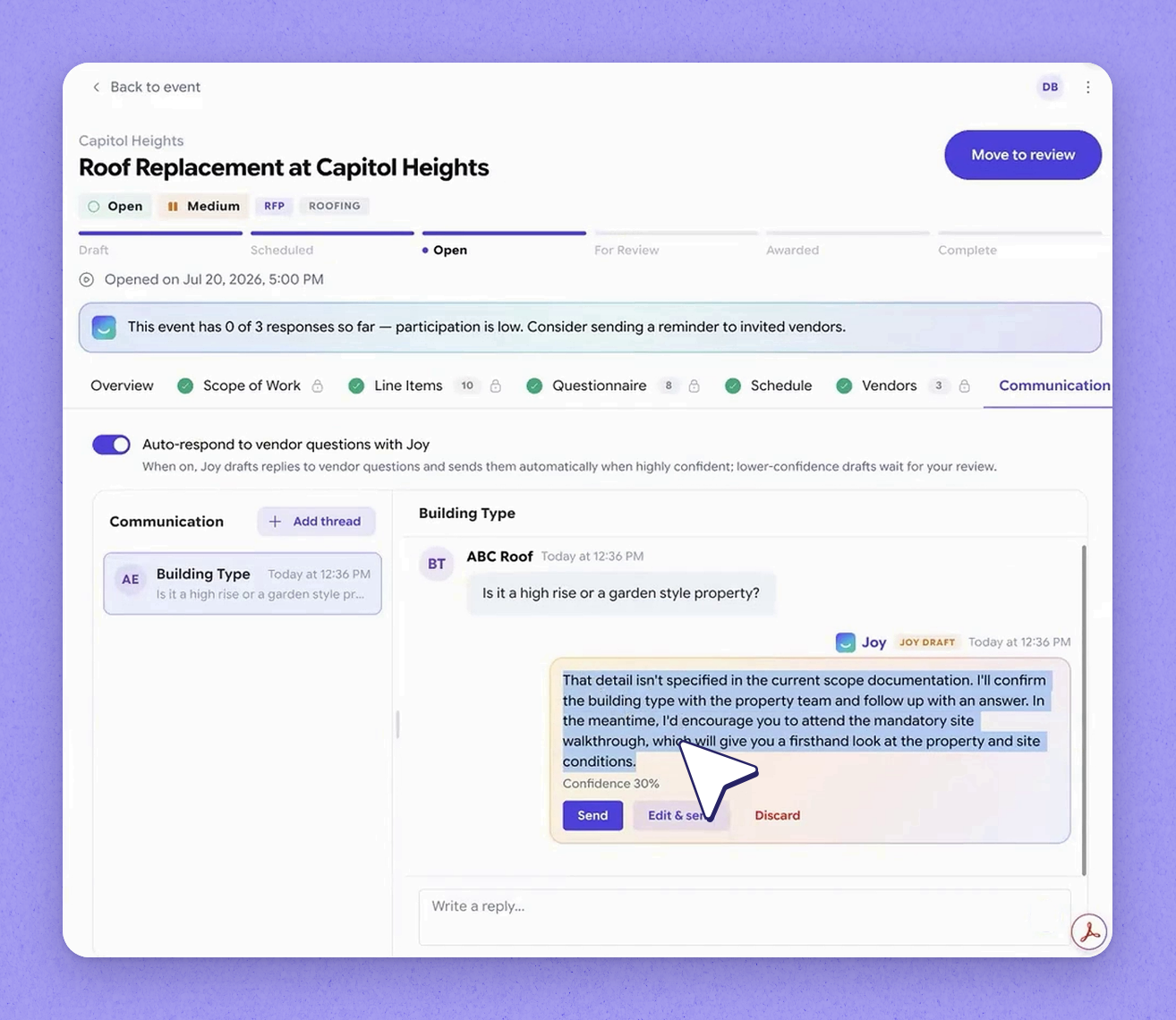
When a vendor posts a question, the sourcing manager gets notified and Joy goes to work drafting an answer based on the knowledge it already has about the event. When Joy's confidence level is high — more than 90% — it responds to the vendor automatically. If the answer doesn't clear the confidence threshold, Joy drafts a response and holds it for the sourcing manager to review, edit, and then submit.
Tip · You stay in control of what goes out: if you don't like the draft, or the confidence sits low, you can review and edit before it's sent back to the vendor.

5Vendors get replies instantly

Vendors get replies instantly
Back on the vendor's side, the reply appears on the portal straight away once it's sent. Answering their questions this quickly keeps momentum going through the event.

6Price line items and add new ones

Price line items and add new ones
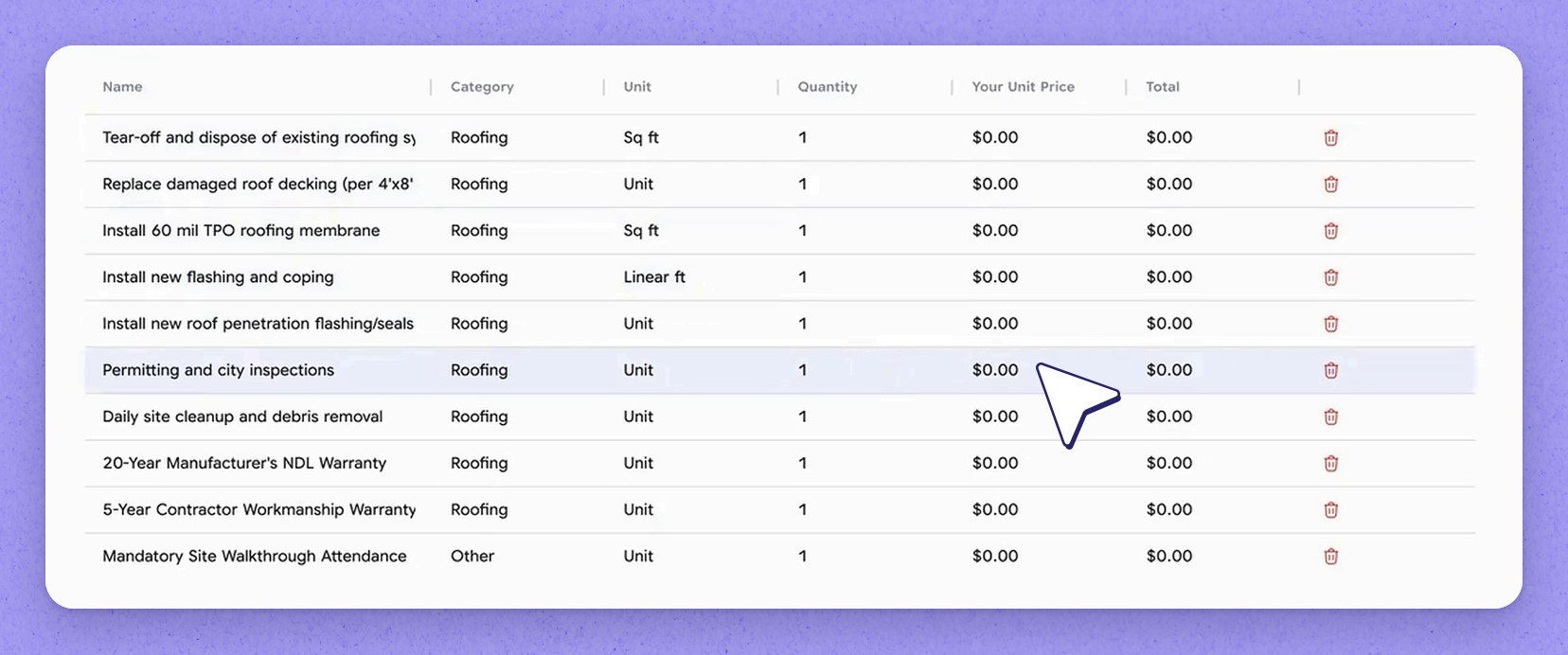
The vendor prices the line items that were generated earlier for the event. They can also add their own line items based on the scope they receive on their end. So if they spot additional things the job needs that will cost you, they can add those in manually.

7Respond to the questionnaire

Respond to the questionnaire
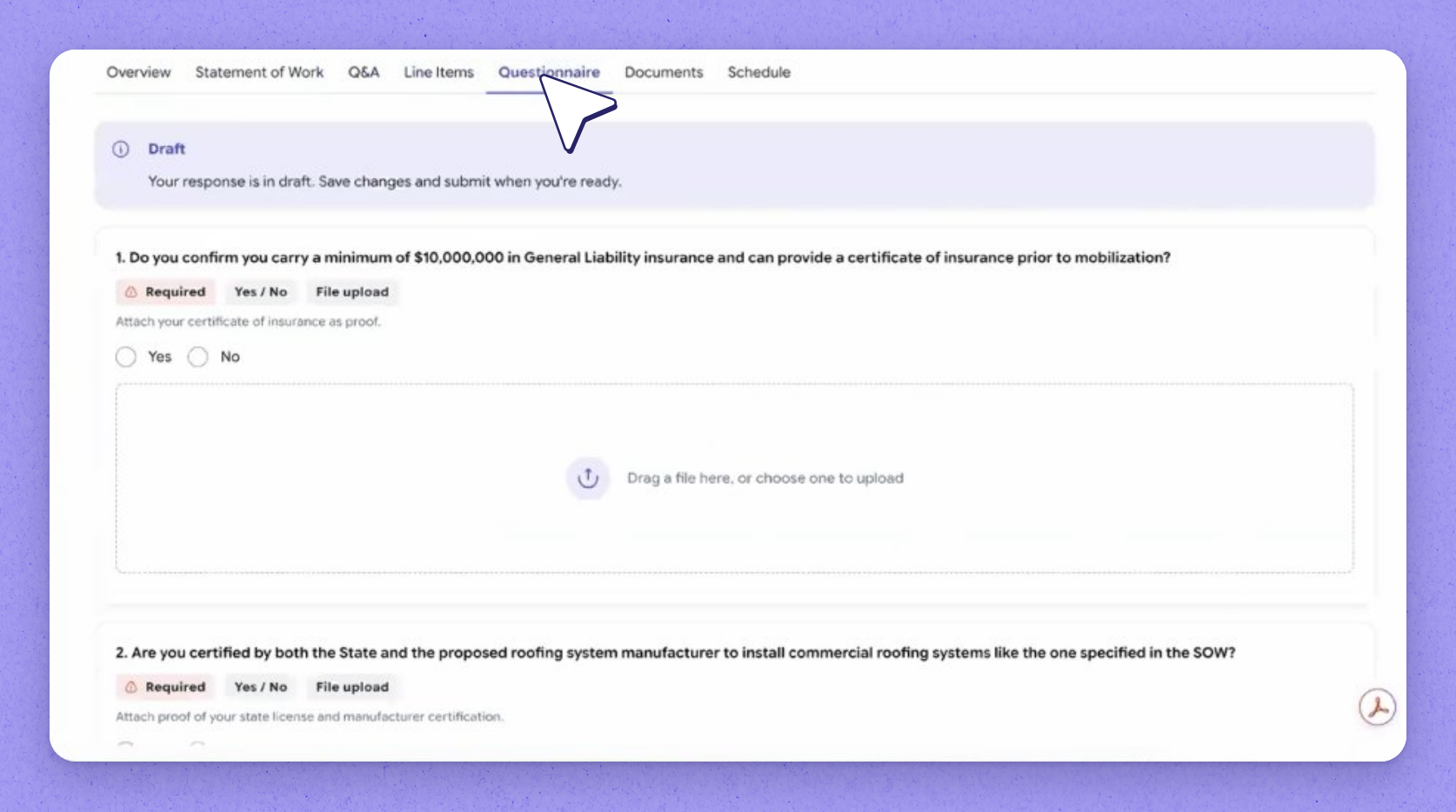
There's also a questionnaire, and the vendor can respond to it directly. They can add attachments to their answers and pull in any additional files they need. They can include anything else they believe matters for this sourcing event.

8Bid submission pulls profile documents

Bid submission pulls profile documents
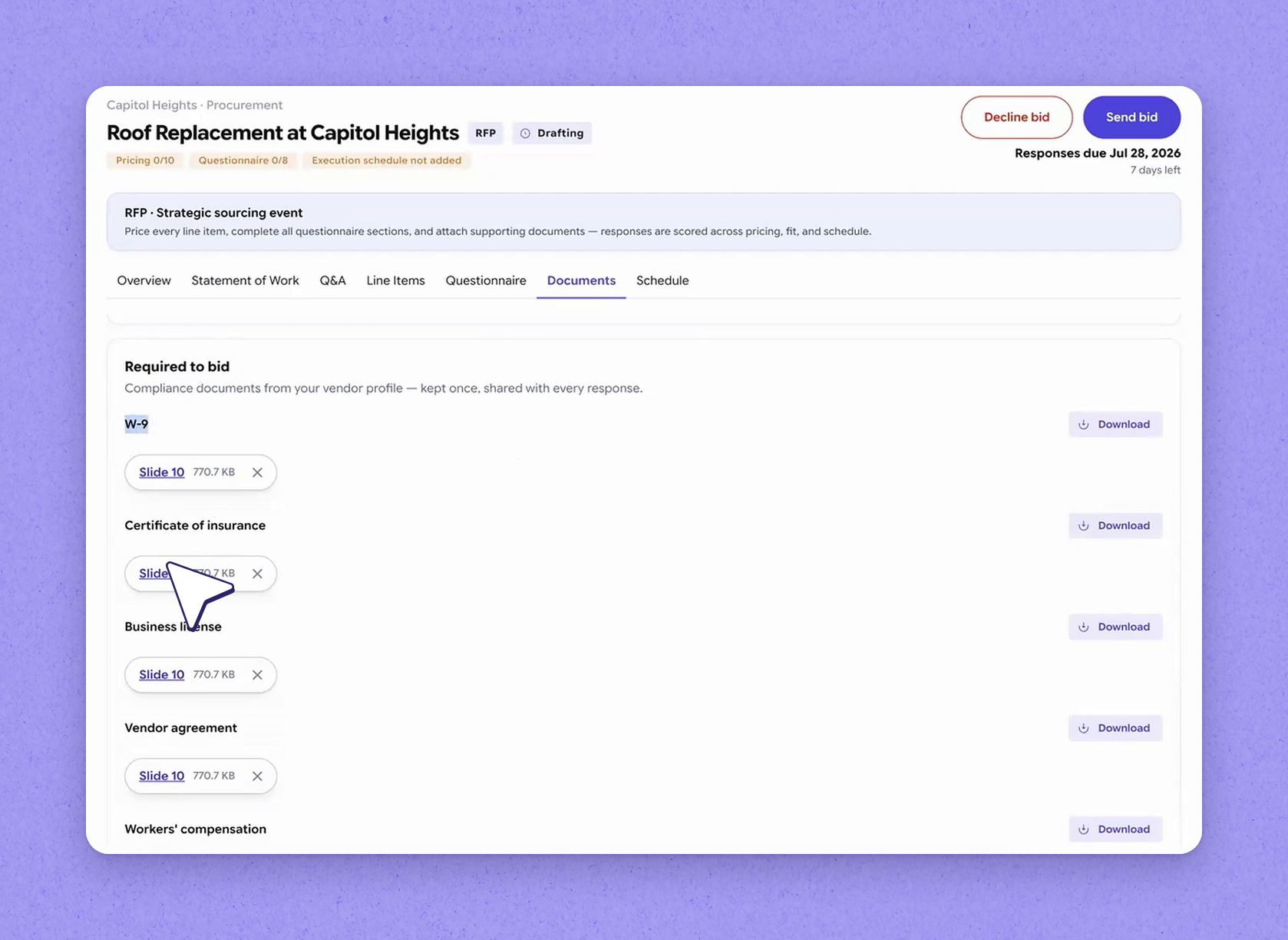
When the vendor moves into bid submission, some pieces are pulled automatically from their vendor profile. This includes documents such as their W-9, certificate of insurance, business license, and workmen's comp. Anything that belongs on the bid comes along with it.

9Build the vendor schedule

Build the vendor schedule
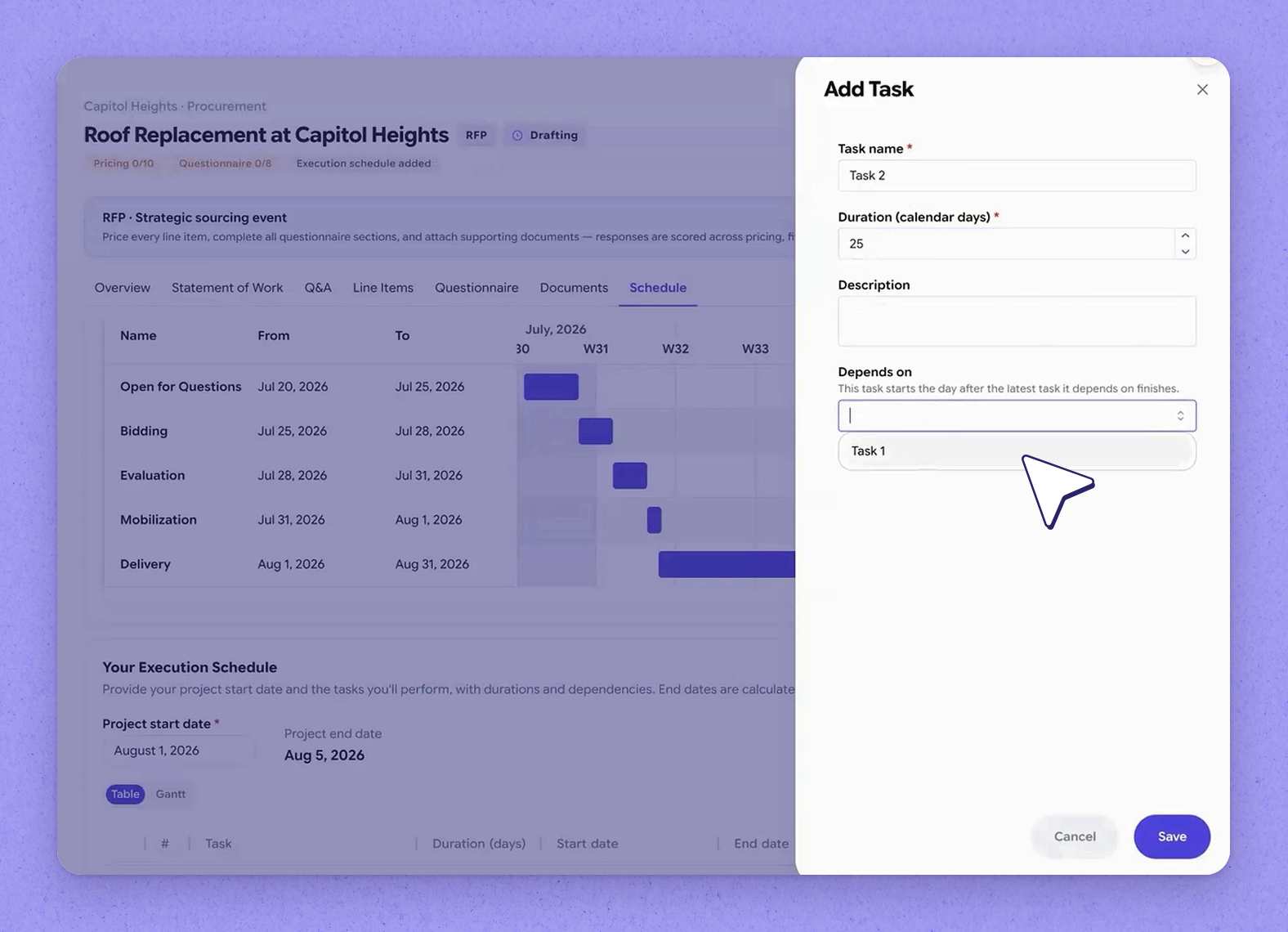
The vendor is also asked to provide a schedule. At the top is the sourcing timeline you set for the event, and below it the vendor builds their own. They confirm a start date and then begin adding tasks — for example, task one taking five days and task two taking twenty-five days, for a total of thirty days, with task two set to depend on task one finishing first.

10View the plan on a Gantt timeline

View the plan on a Gantt timeline
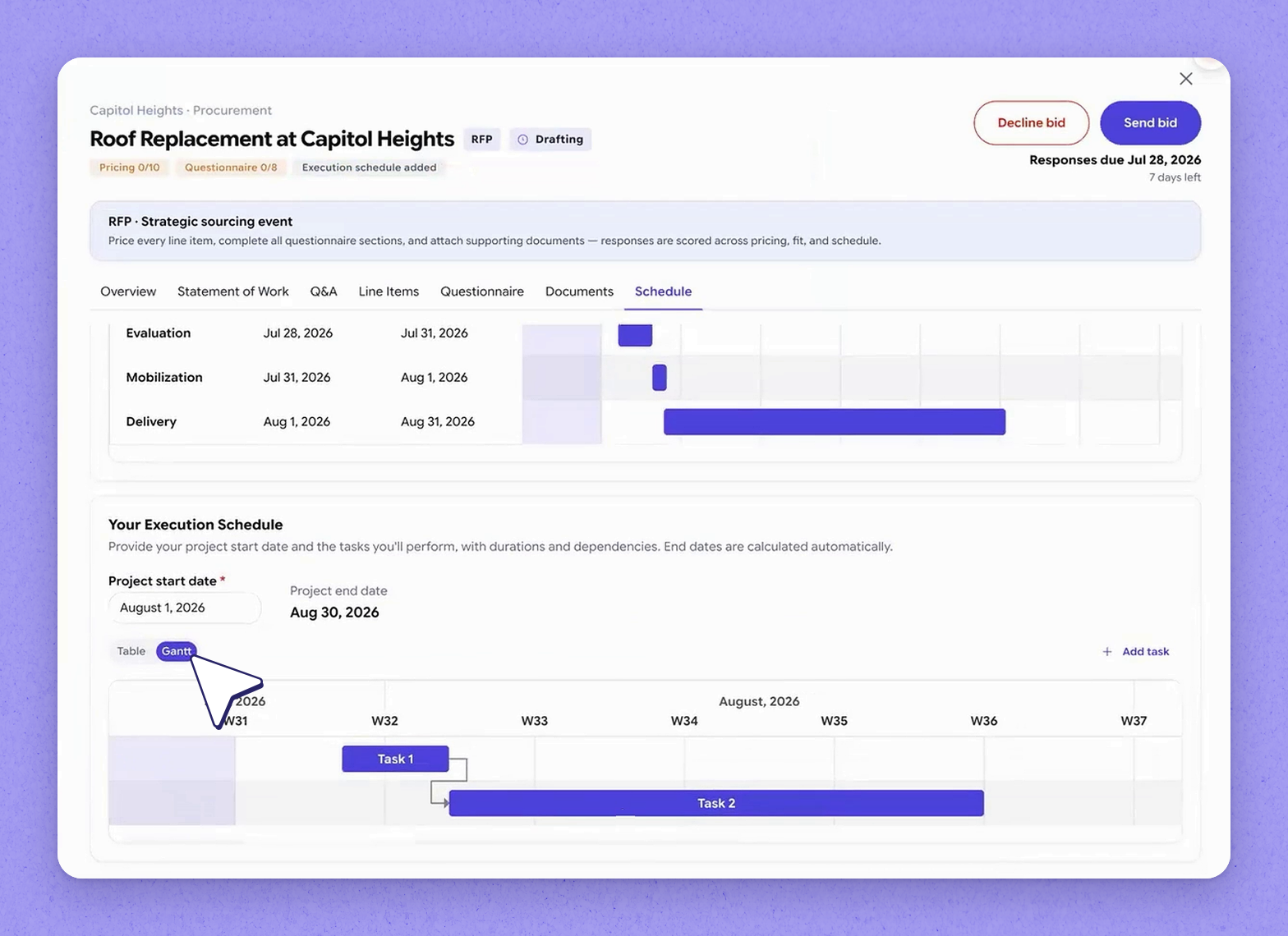
As the vendor enters their tasks, HappyCo lays the plan out on a Gantt timeline so the whole schedule reads at a glance. The timeline view can be adjusted to show dates. This completes the vendor journey — from the invitation landing in their inbox all the way through to a complete bid submission.

Documents Sourcing by HappyCo can pull automatically from a vendor's profile

DocumentPurpose
W-9Included automatically in the bid from the vendor profile
Certificate of insuranceIncluded automatically in the bid from the vendor profile
Business licenseIncluded automatically in the bid from the vendor profile
Workmen's compIncluded automatically in the bid from the vendor profile

Frequently asked questions

When does Joy answer a vendor's question automatically?

When Joy's confidence in its drafted answer is high — more than 90% — it responds to the vendor automatically based on the knowledge it has about the event.

What happens if Joy isn't confident enough to answer?

If the answer doesn't clear the confidence threshold, Joy drafts a response and holds it for the sourcing manager to review, edit, and then submit to the vendor.

Can vendors add line items beyond the ones generated for the event?

Yes. Vendors can price the generated line items and also add their own manually, based on the scope they receive, if they spot additional work that will cost the buyer.

How does a vendor build their schedule?

The vendor confirms a start date and then adds tasks with durations, and can set dependencies between them (for example, task two depending on task one). HappyCo lays the schedule out on a Gantt timeline, shown beneath the sourcing timeline you set for the event.

More in Sourcing by HappyCo with Joy AI
Introduction to Sourcing by HappyCo
Creating a Sourcing Event with JoyAI
Building the Scope, Line Items, and Questionnaire
Inviting Vendors and Publishing the RFP
Evaluating Bids and Awarding the Contract
Sourcing Settings: Property DNA

See it in your properties

HappyCo brings inspections, maintenance and on-call operations into one connected platform.

Book a demo

Made with HappyCo Studio · happy.co