
Sourcing by HappyCo
Evaluating Bids and Awarding the Contract
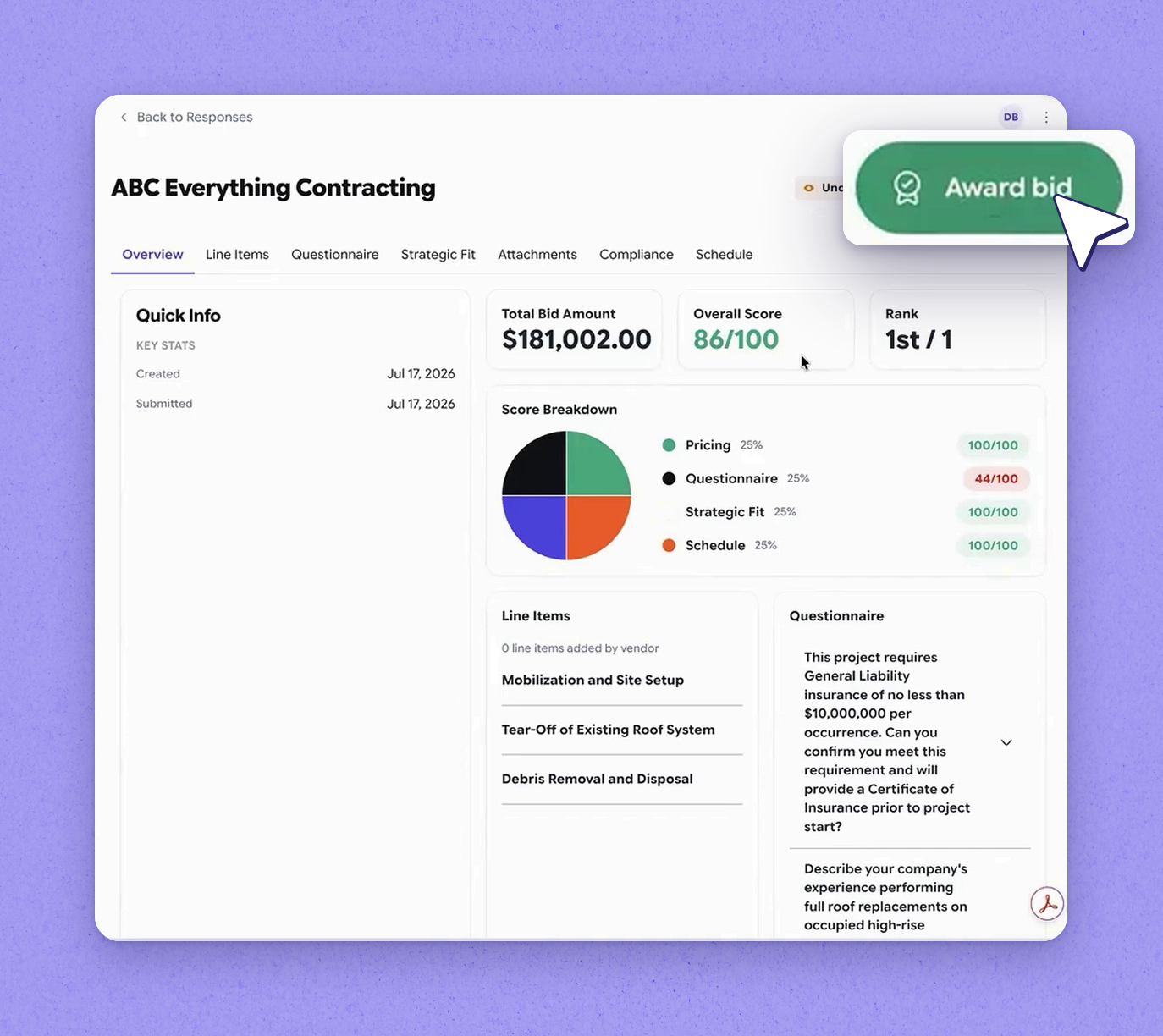
Explains how Joy scores vendor responses across all criteria, how the sourcing manager reviews pricing, questionnaire answers, strategic fit, compliance, and schedules, and how awarding the bid flows directly into a project in Happy Asset.
What’s covered
Evaluate Vendor Bids with Joy in Sourcing
Sourcing by HappyCo
1See how vendor responses show up
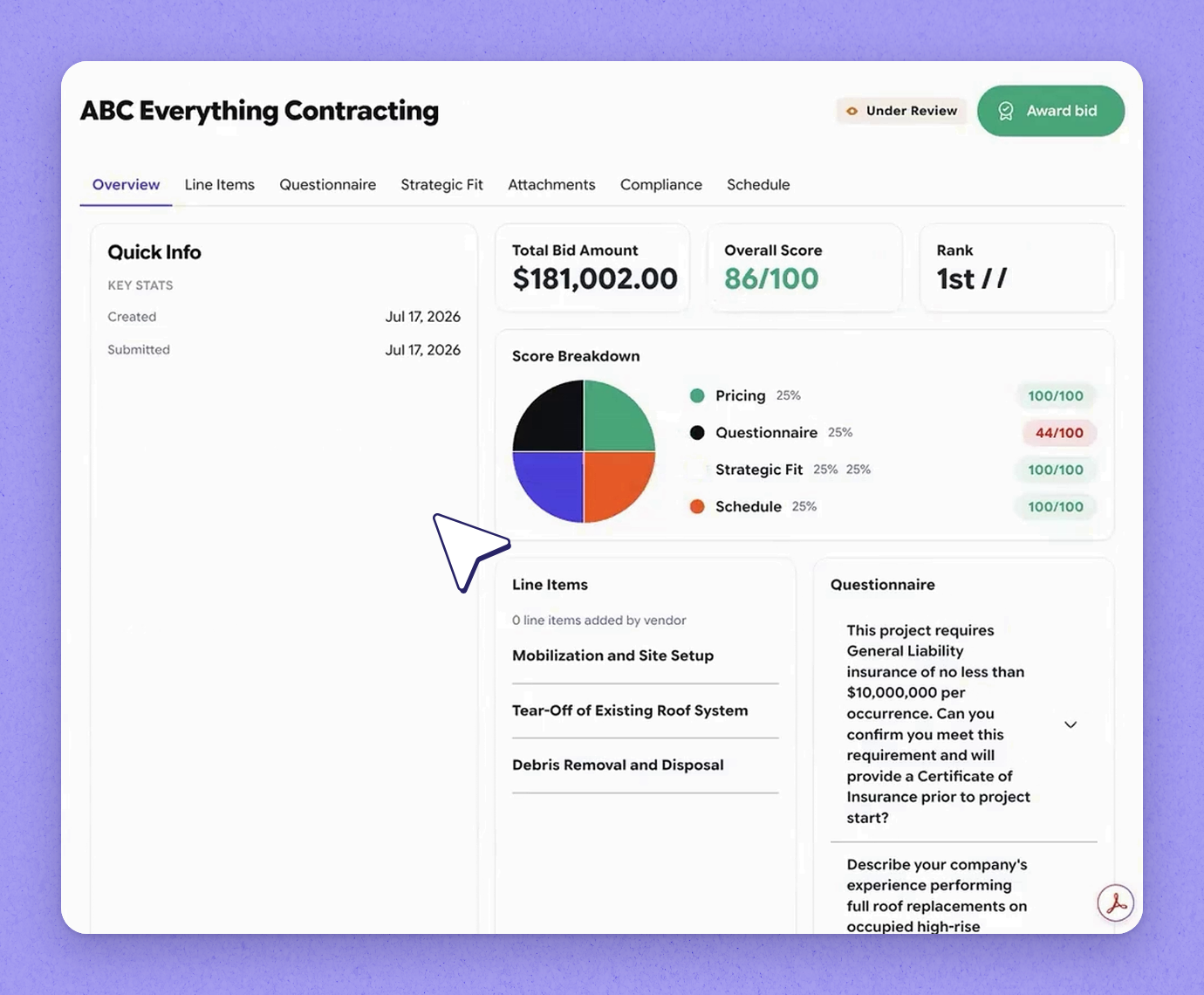
2Review the score Joy calculates
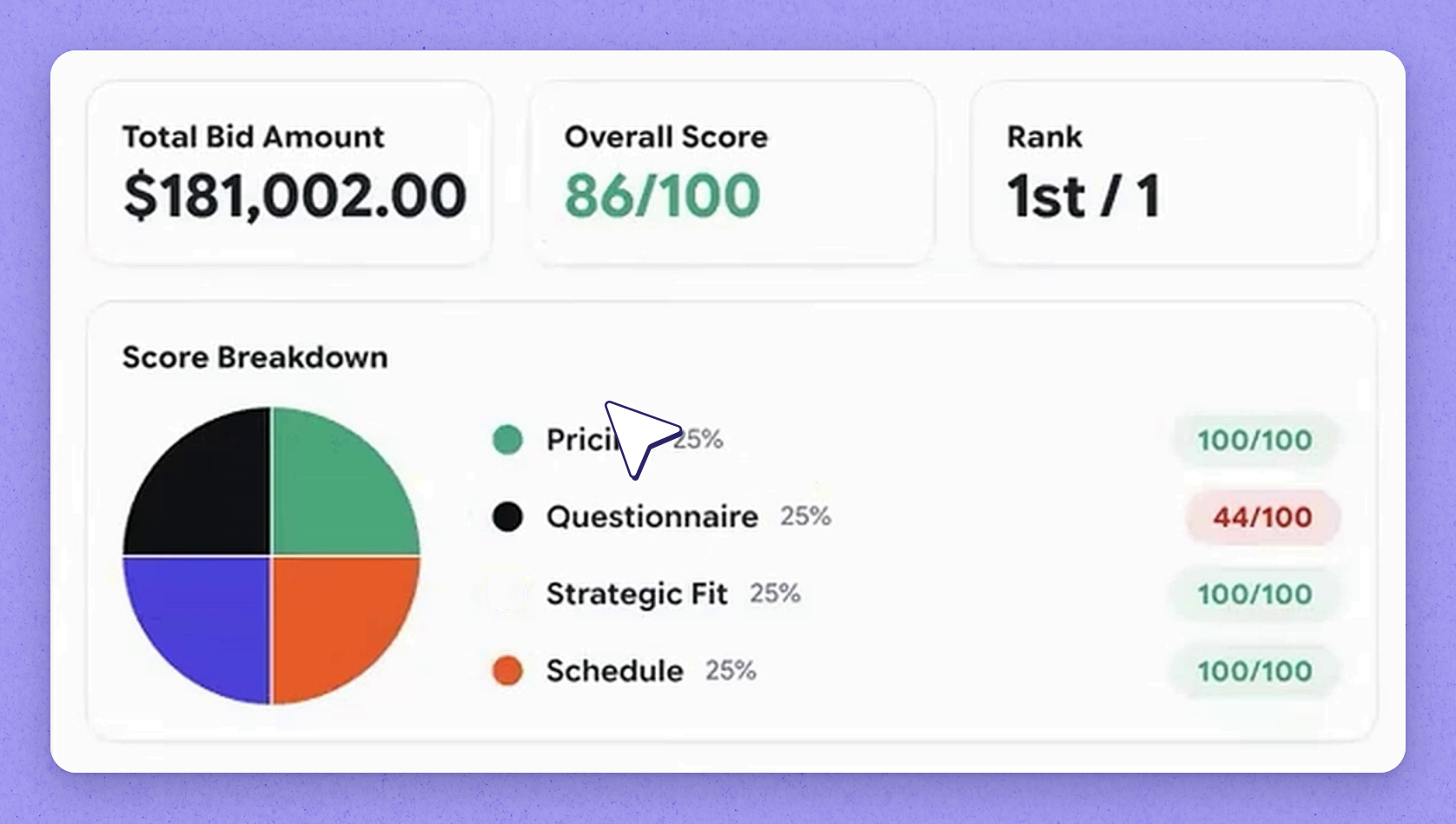
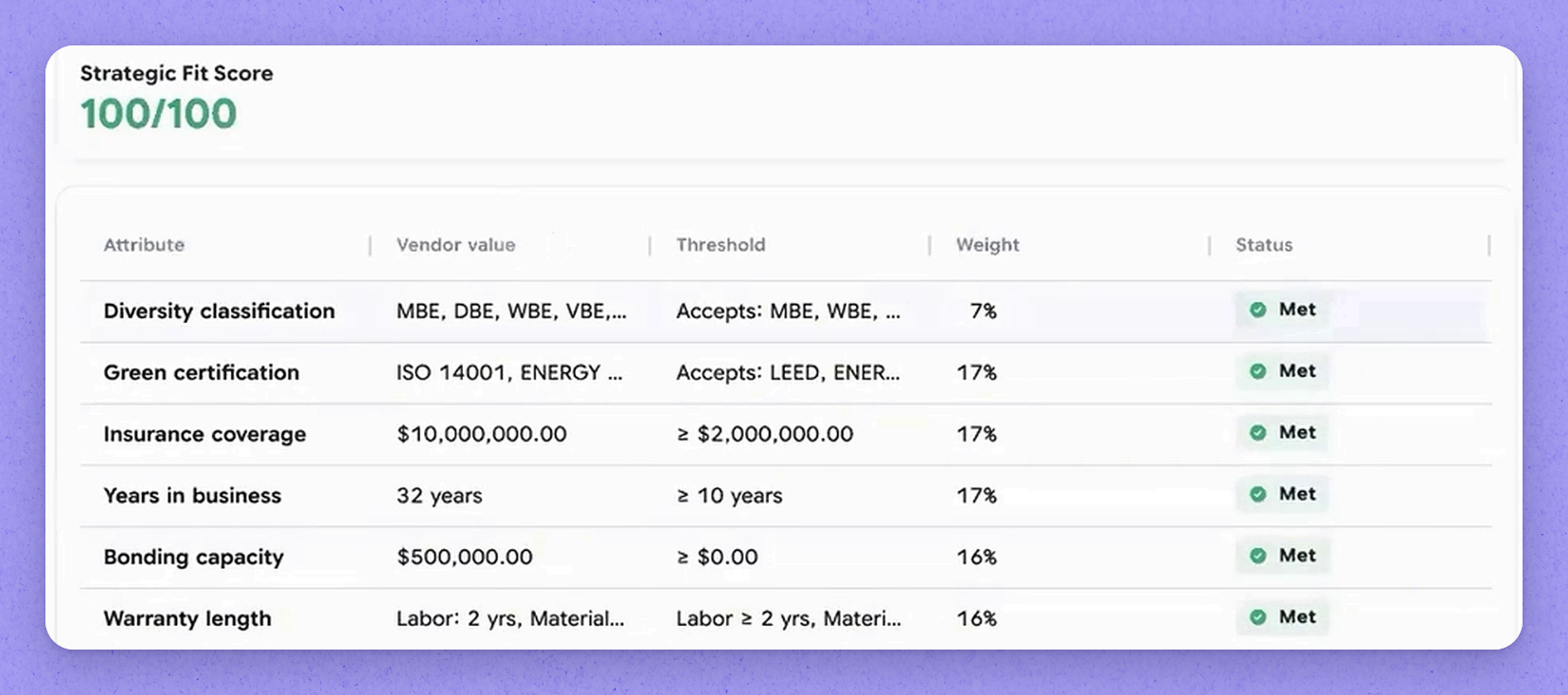
3Rate strategic fit against corporate DNA
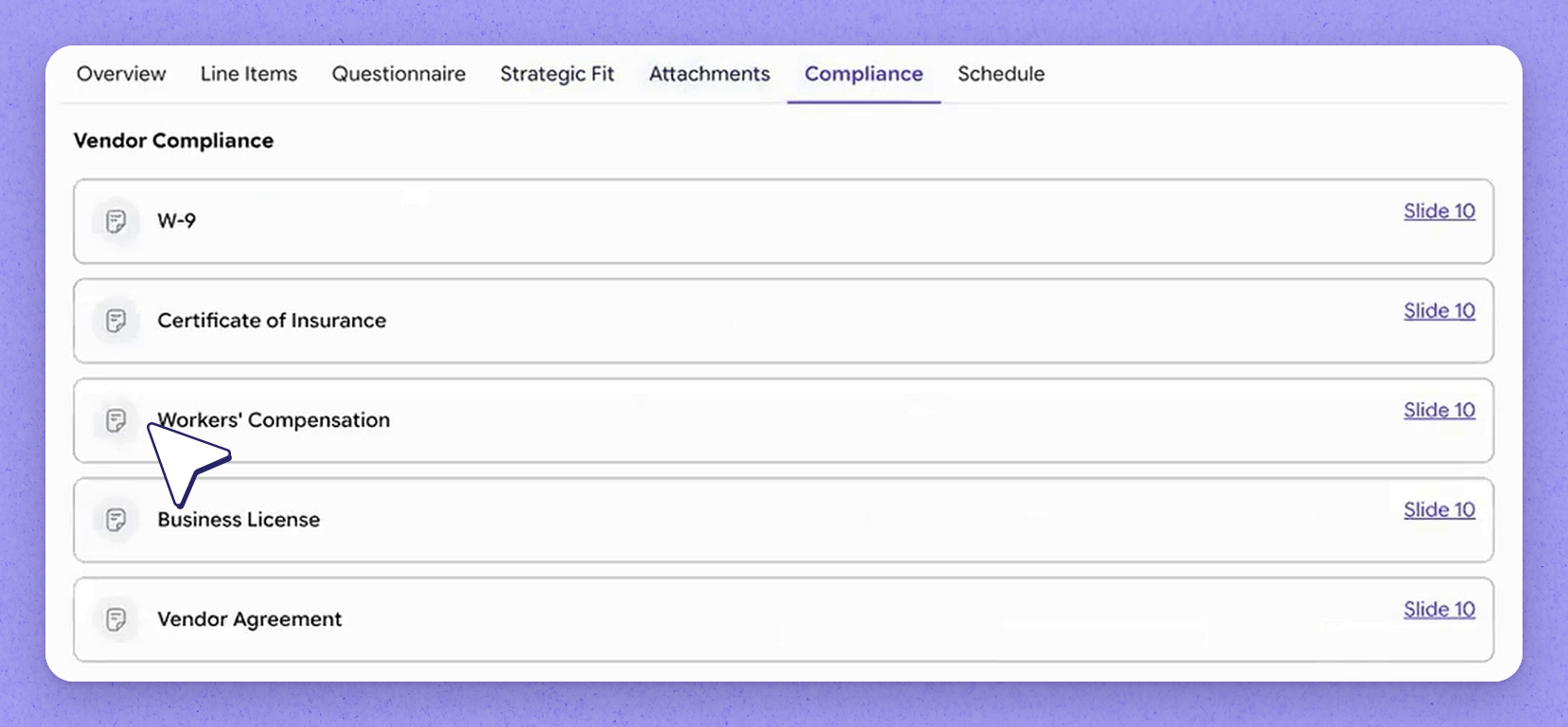
4Check attachments and compliance details
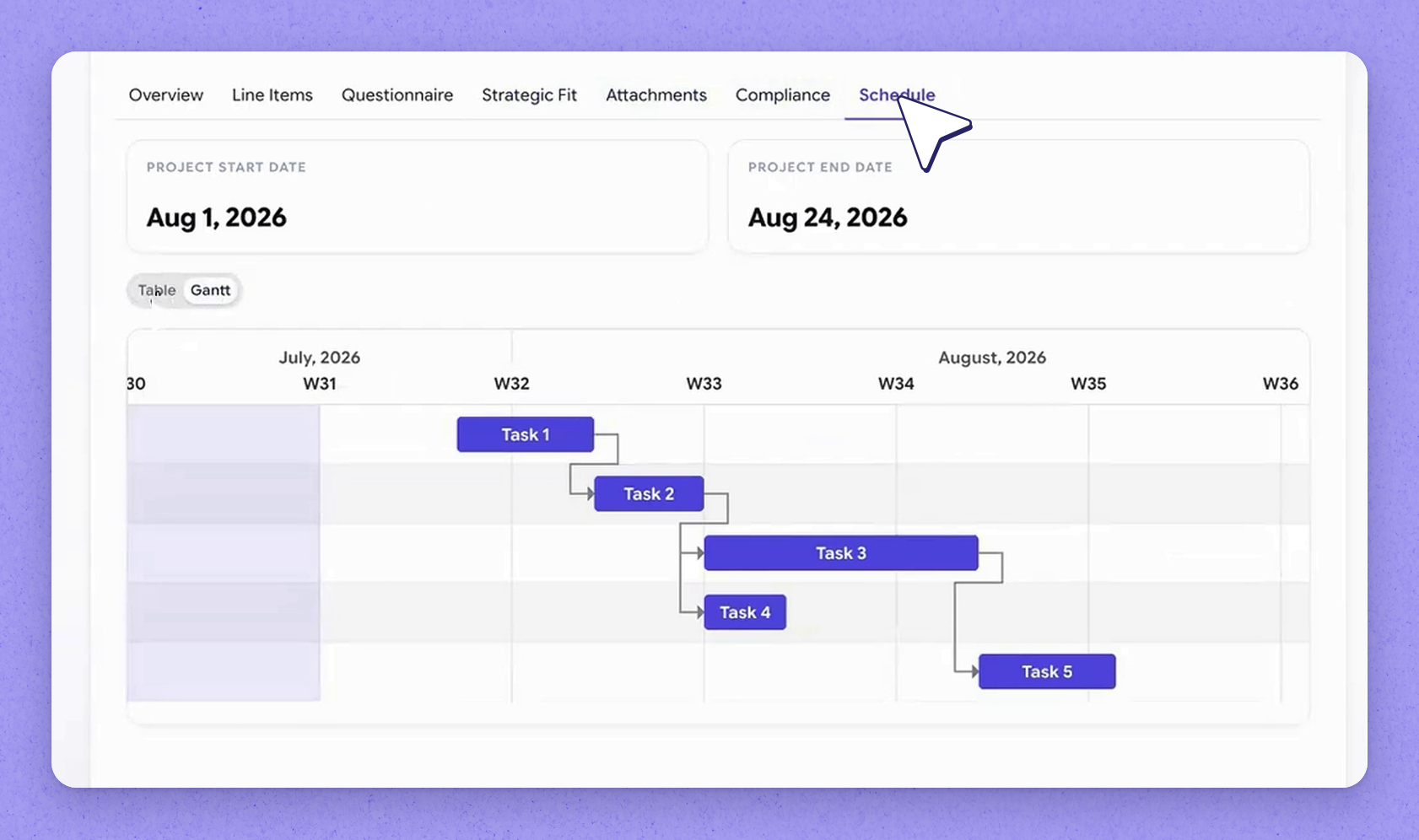
5View the submitted schedule
6How Joy recommends across vendors
7Award the bid into Happy Asset
Frequently asked questions
Joy calculates a score across every criterion you defined for the event, including strategic fit against your corporate DNA. The scoring shifts as other vendors submit responses and get scored too.
Comparison depends on more than one vendor responding. In an event where only one vendor has submitted, there's nothing to compare it against yet.
When you award the bid, it translates straight into a project in Happy Asset—provided that integration is turned on and you are using Happy Asset.
You can view the schedule as a Gantt chart or a table, which shows how the different tasks relate to each other and the overall timeline.
More in Sourcing by HappyCo with Joy AI
See it in your properties
HappyCo brings inspections, maintenance and on-call operations into one connected platform.
Made with HappyCo Studio · happy.co