
Sourcing by HappyCo
Configure, Source, and Manage Procurement
HappyCo's Sourcing procurement app lets teams configure financial setup with cost codes, define property and corporate DNA profiles, and manage capital sourcing projects end to end.
What’s covered
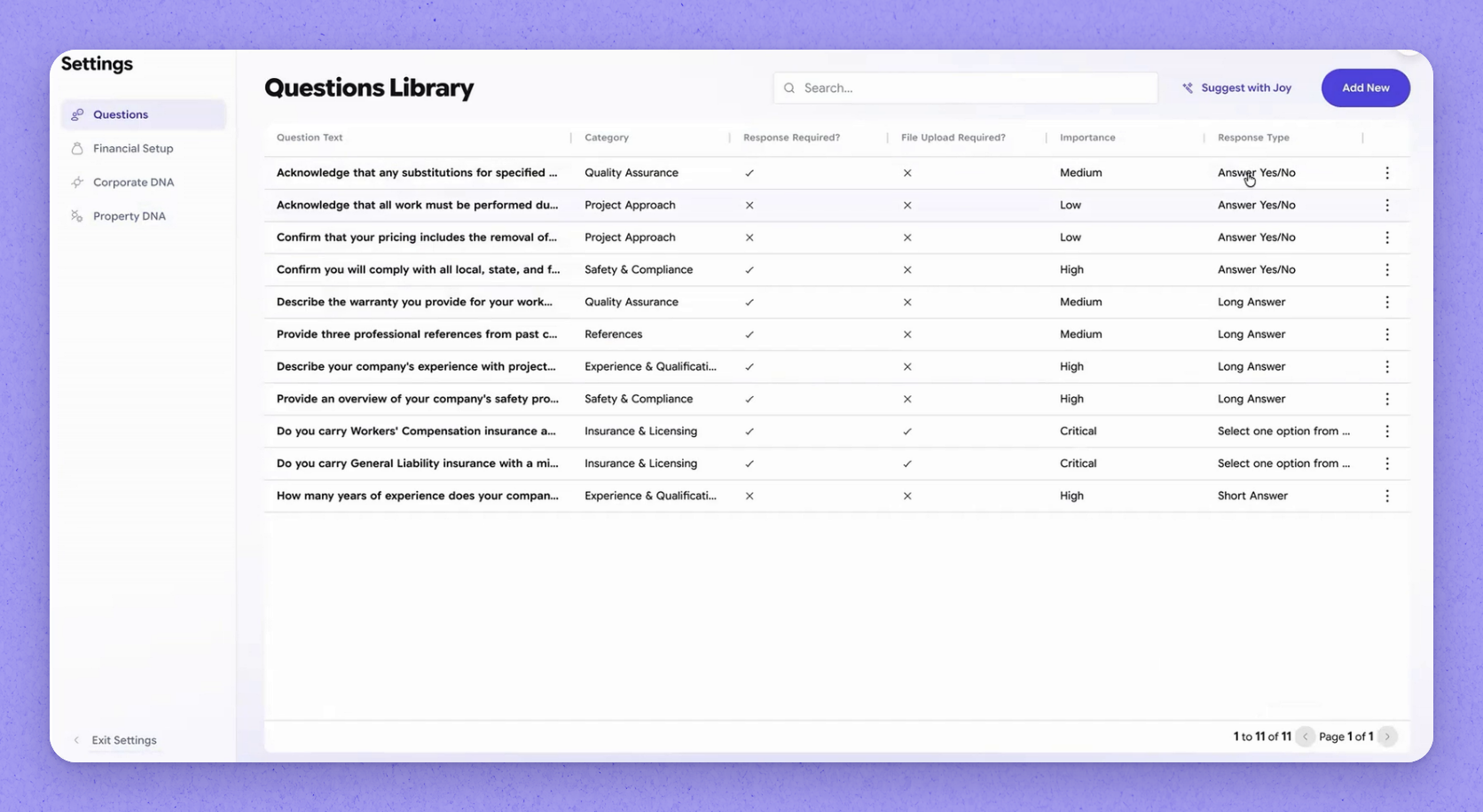
- 1Configure the question library
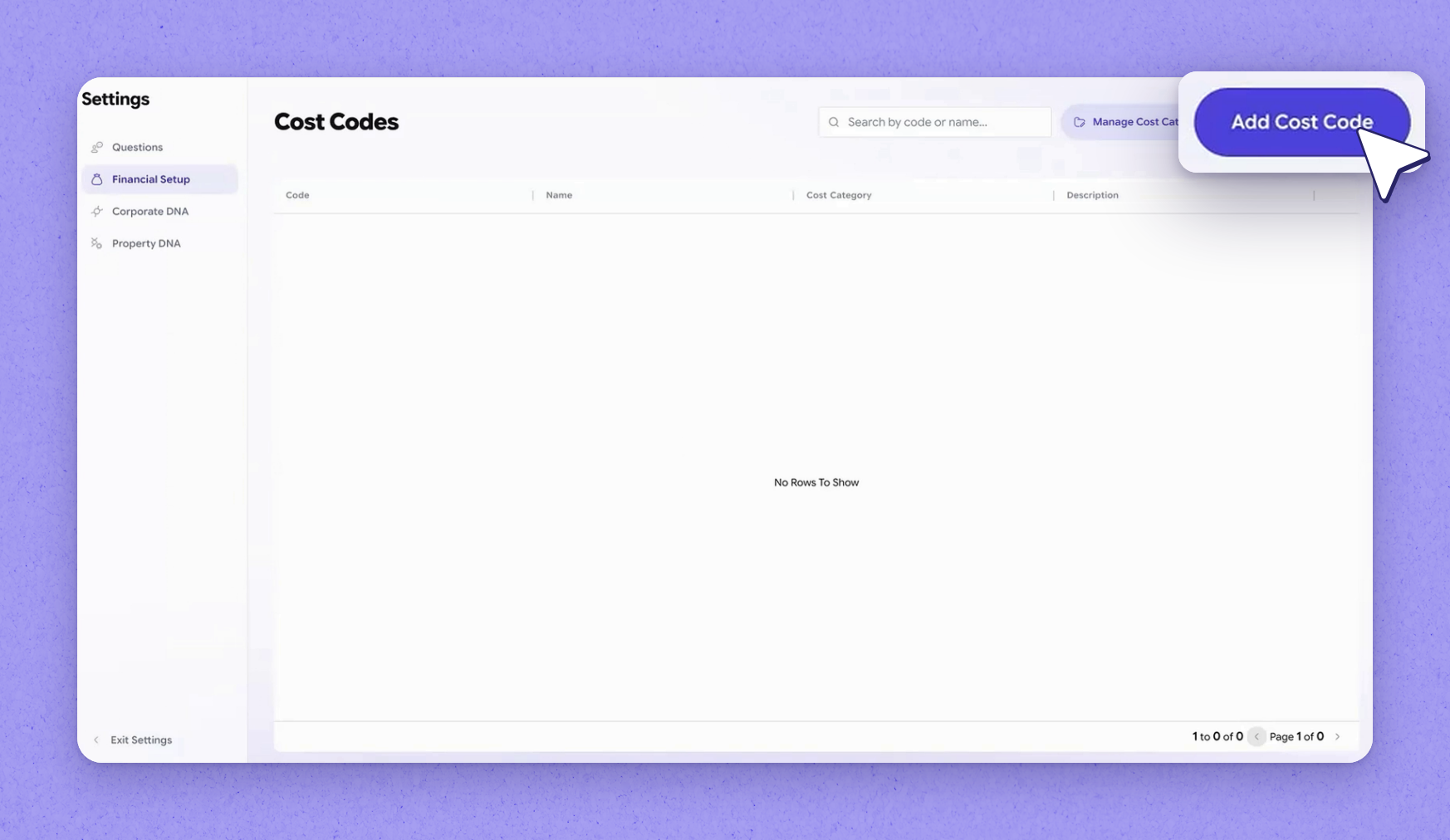
- 2Set up cost codes
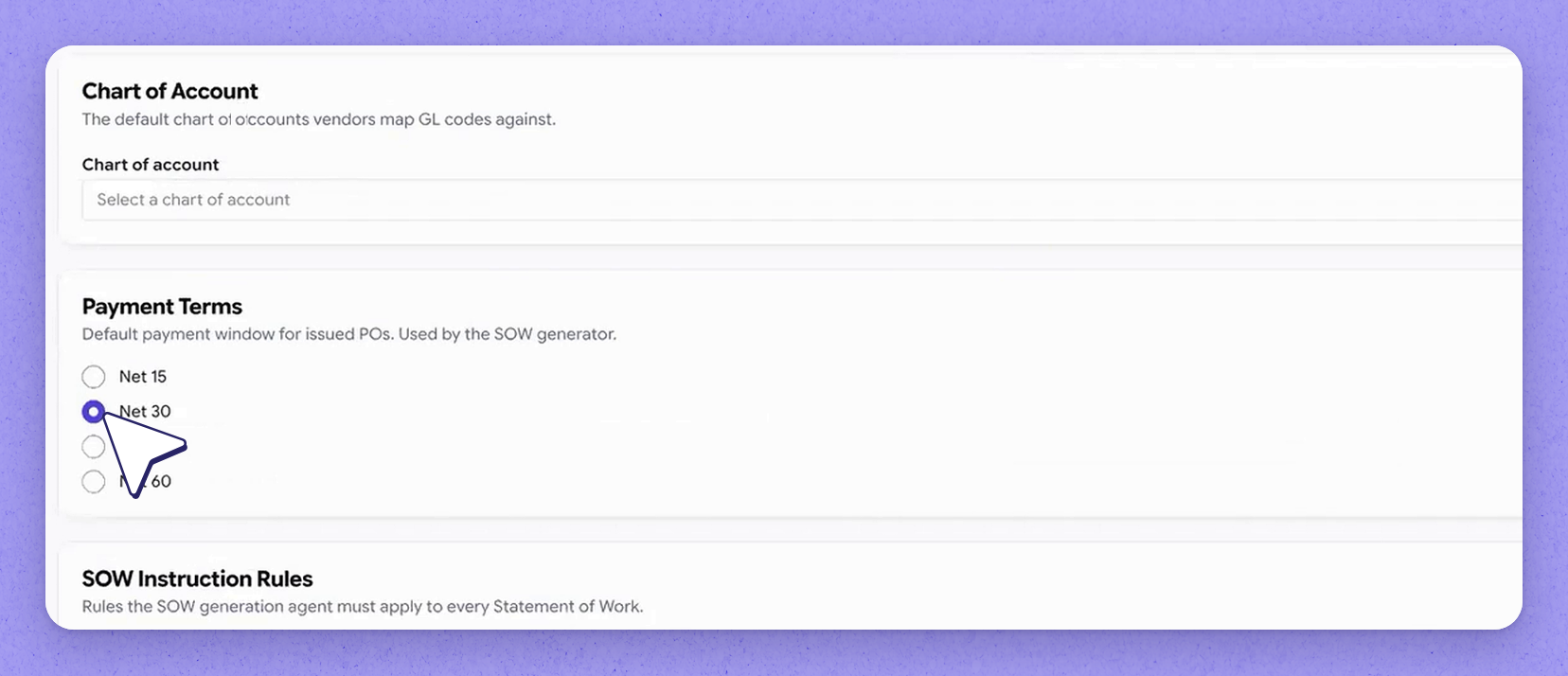
- 3Define corporate DNA and vendor criteria
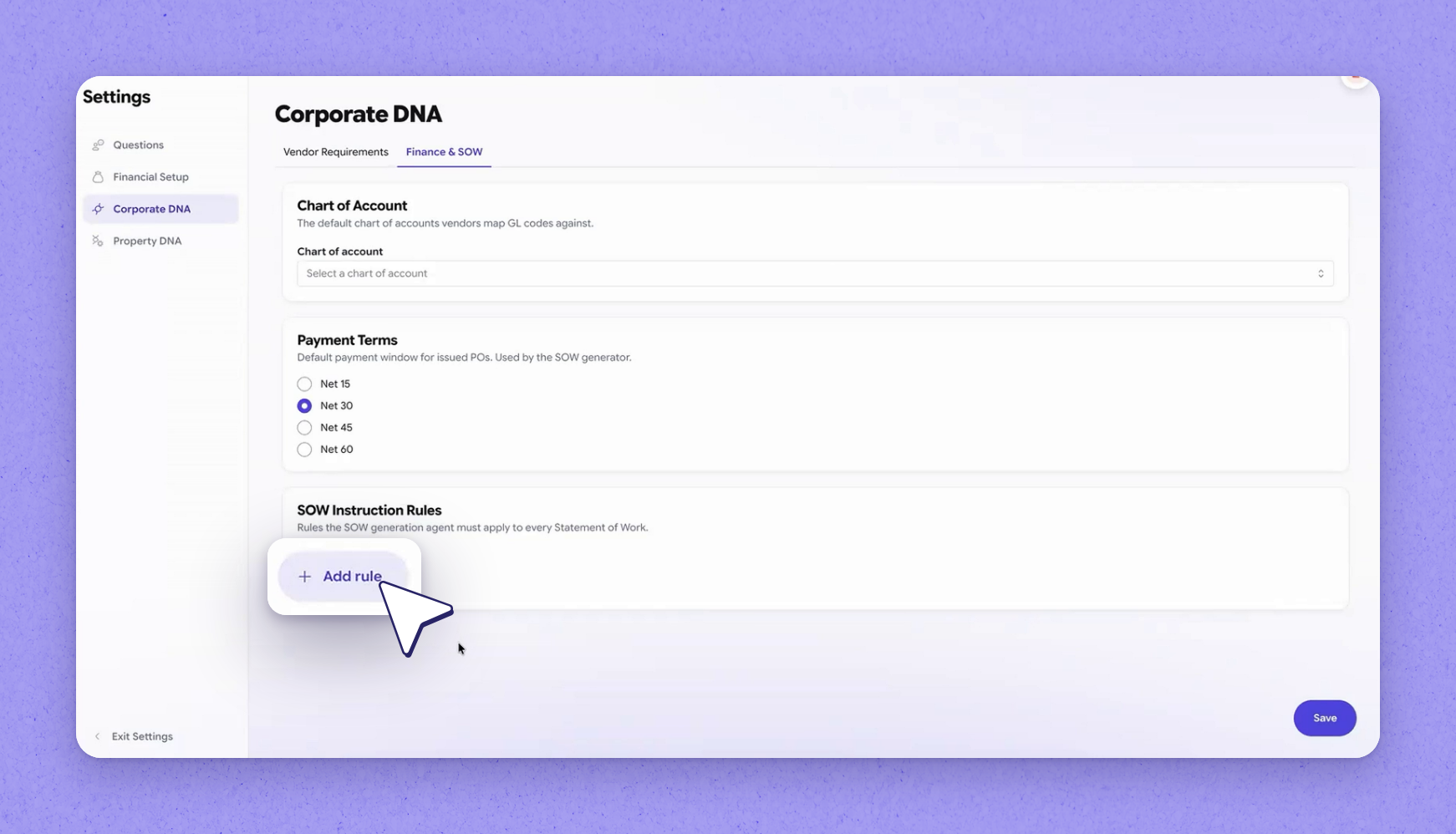
- 4Set SOW instruction rules
- 5Property DNA attributes across the product
- 6View your vendors and network vendors
- 7Upload your vendor master
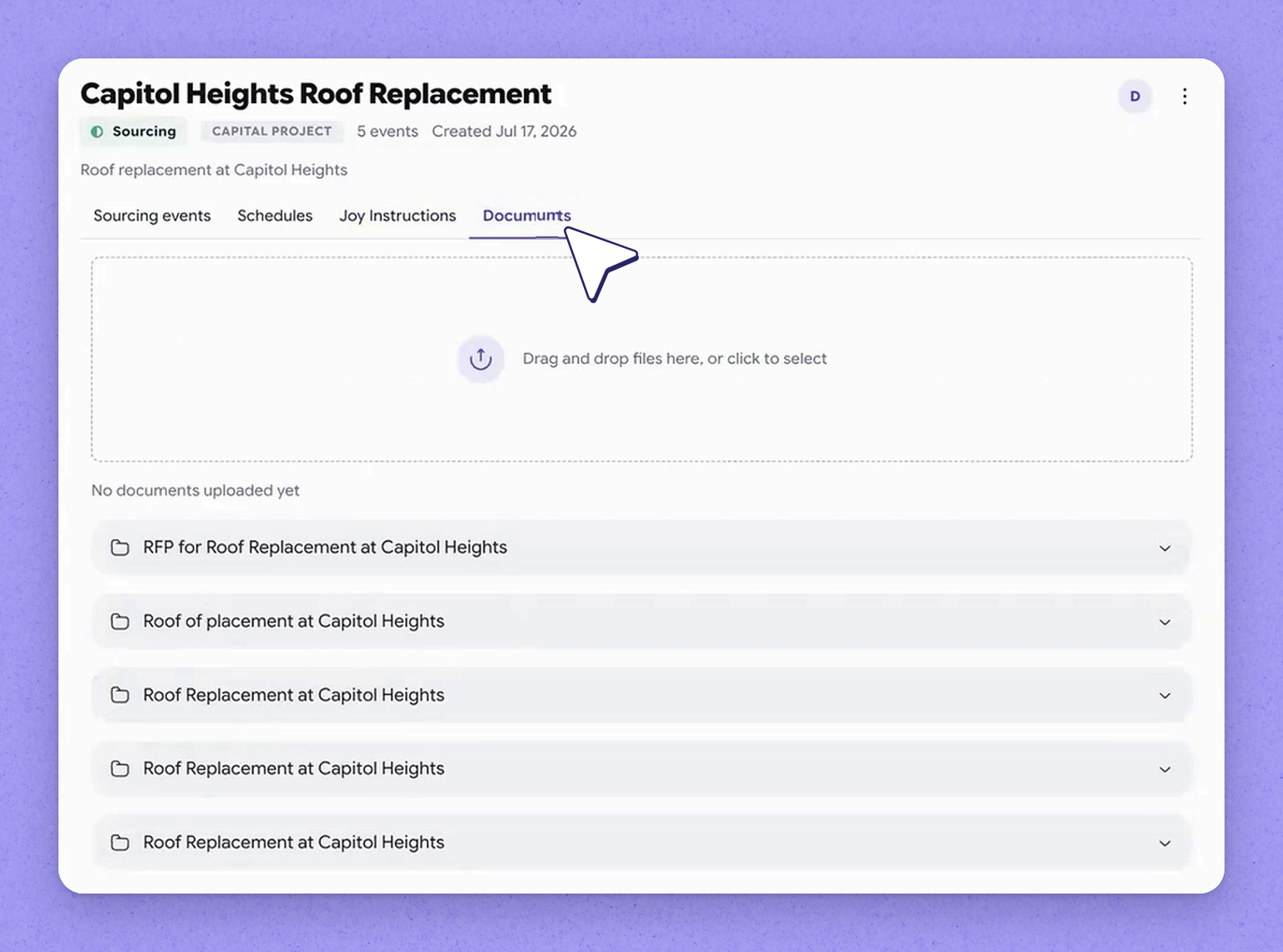
- 8Projects — a lightweight area
- 9Set project SOPs and attach documents
- 10Sourcing Settings recap
Configure Sourcing Settings and Property DNA in HappyCo
Sourcing by HappyCo
1Configure the question library
2Set up cost codes
3Define corporate DNA and vendor criteria
4Set SOW instruction rules
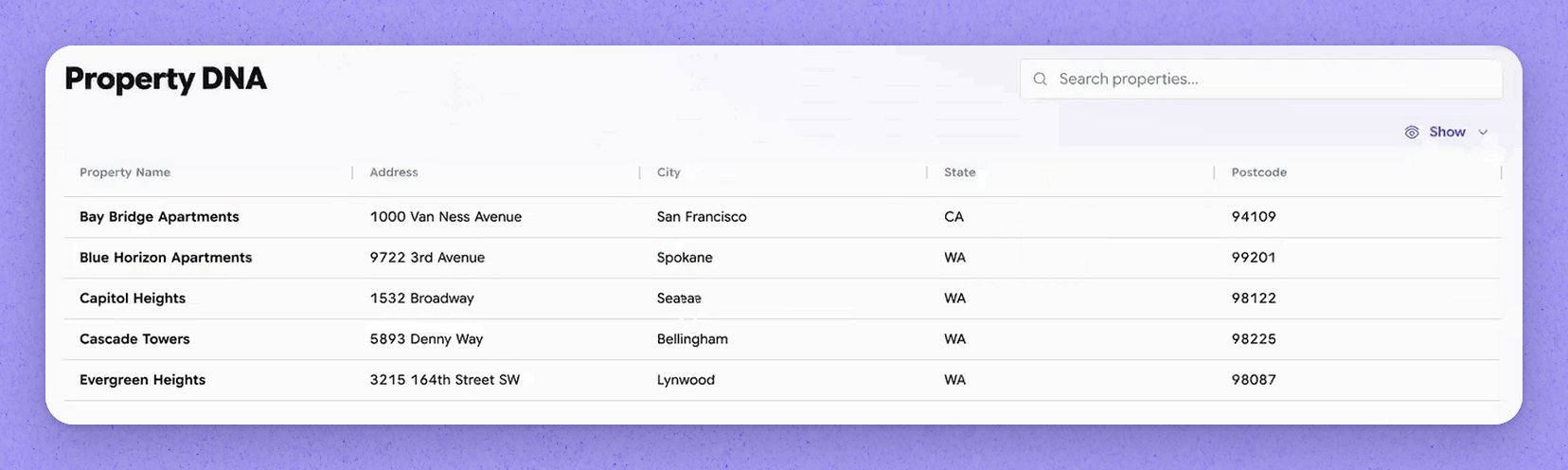
5Property DNA attributes across the product
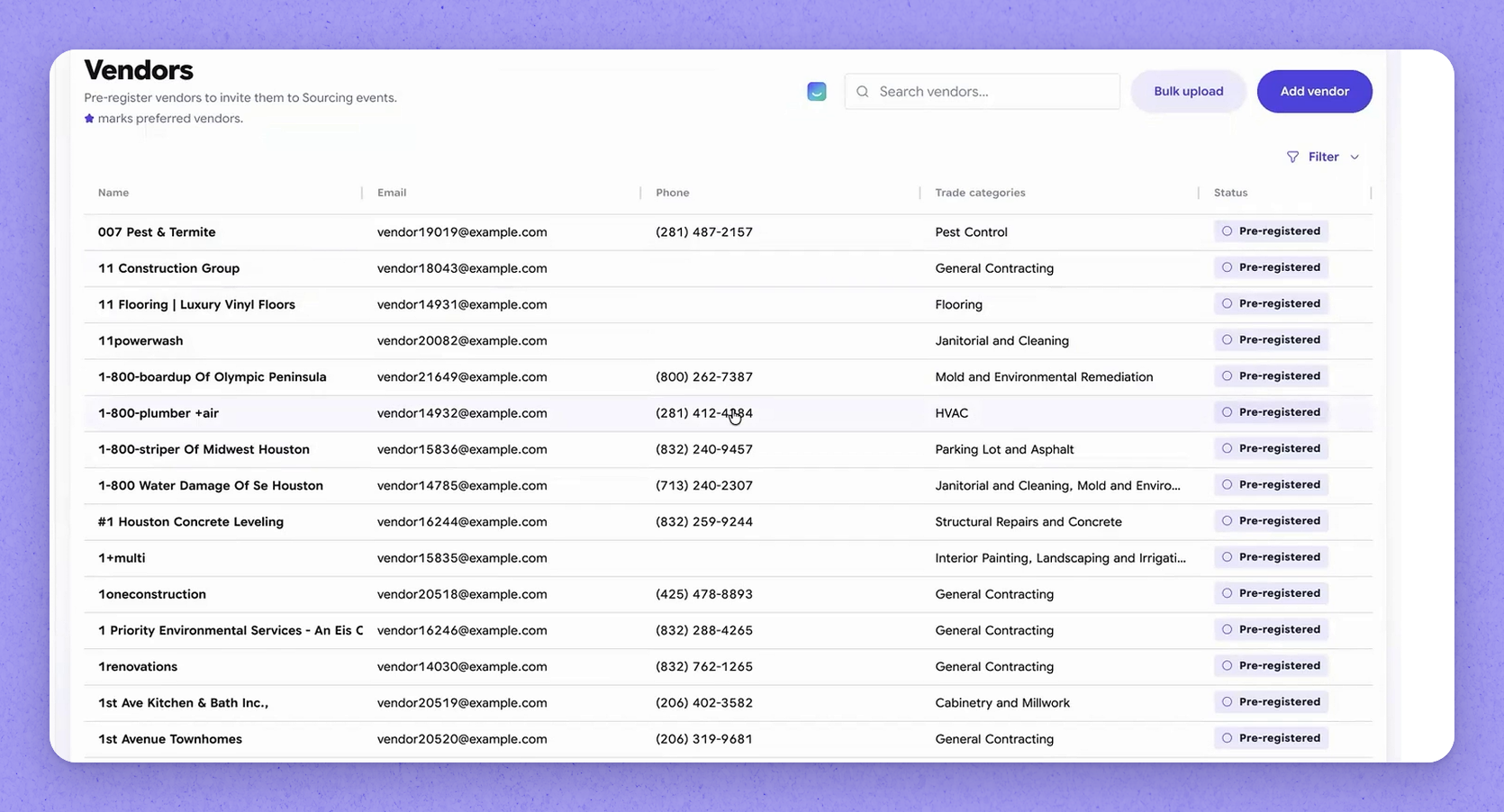
6View your vendors and network vendors
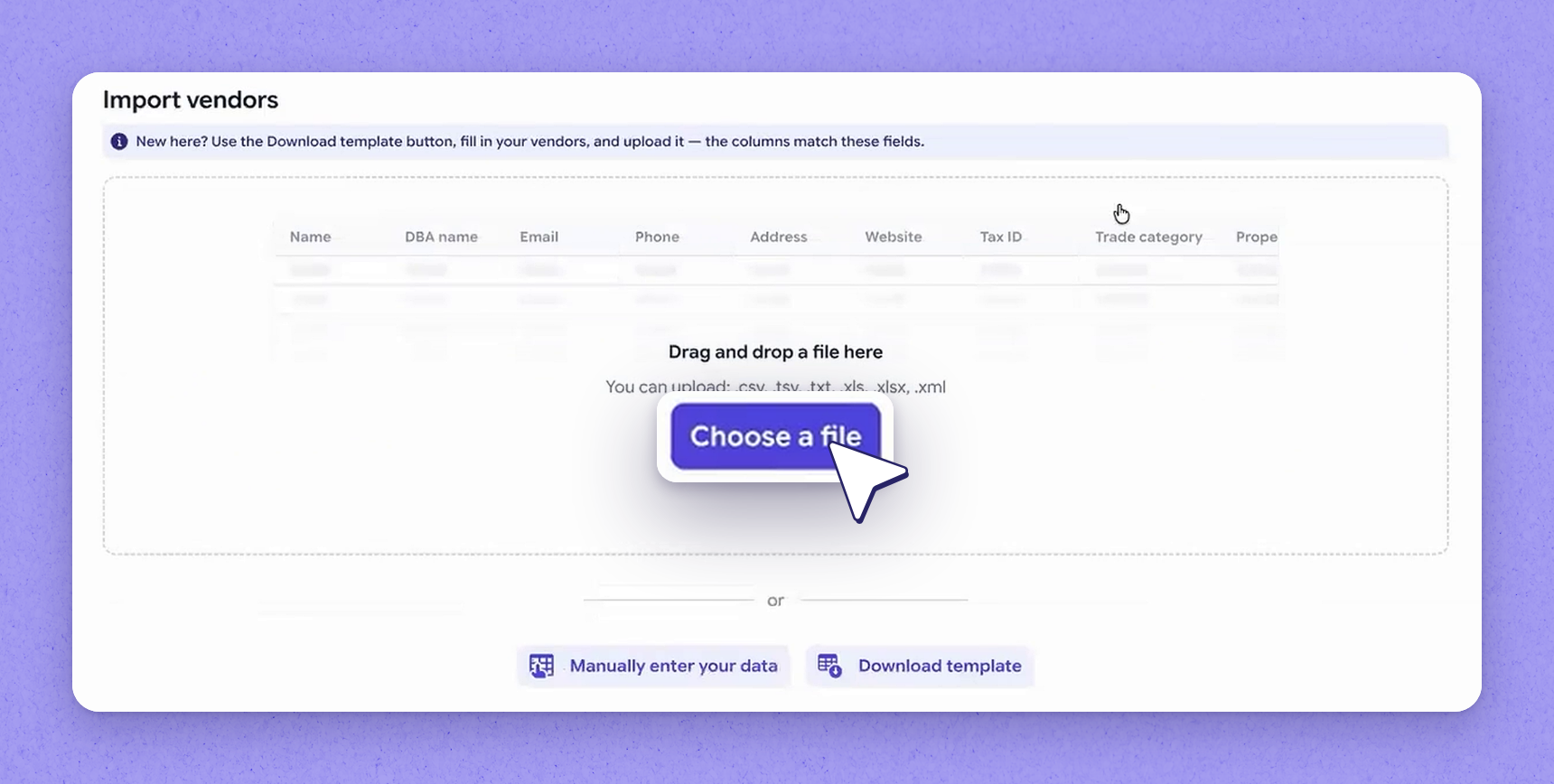
7Upload your vendor master
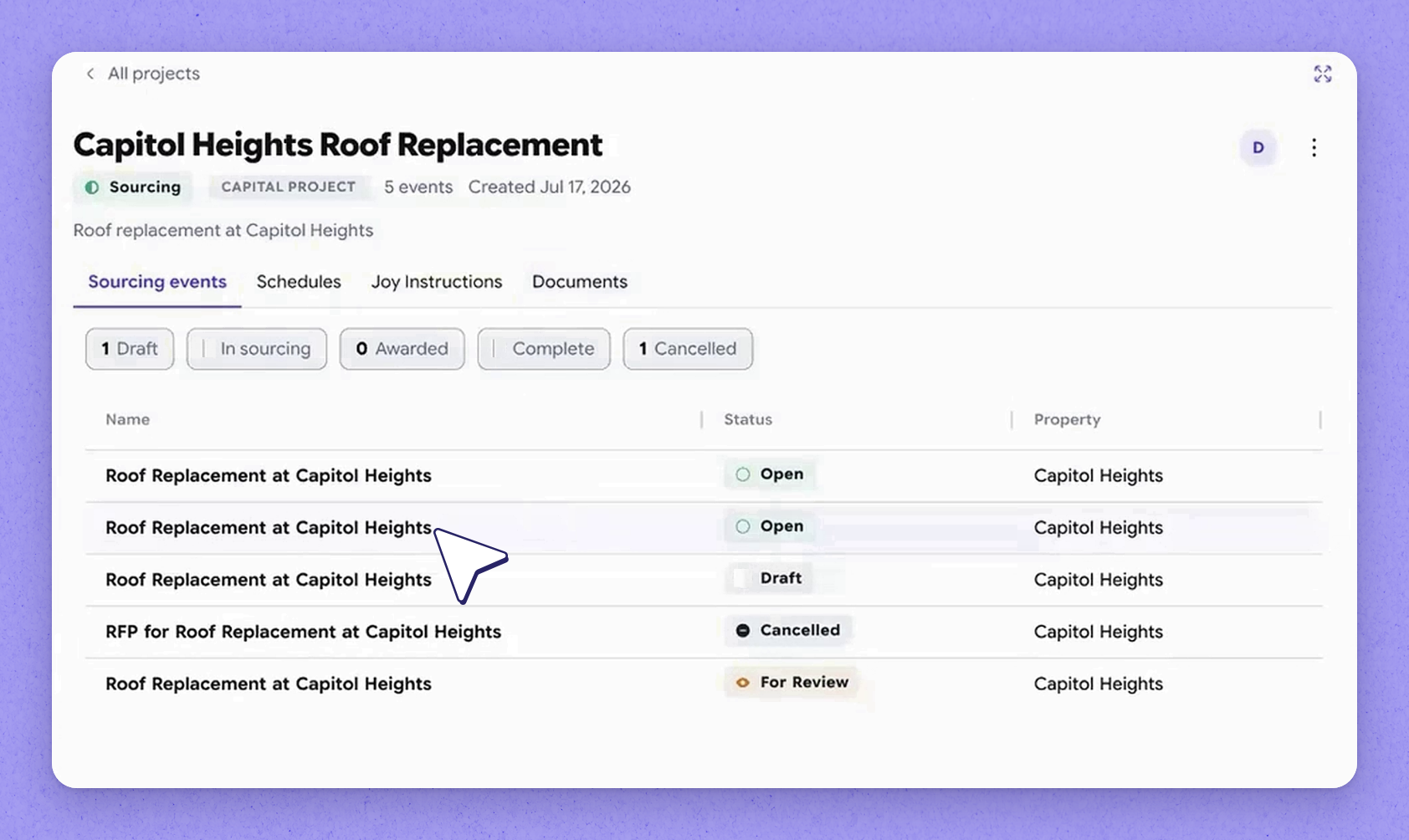
8Projects — a lightweight area
9Set project SOPs and attach documents
10Sourcing Settings recap
Where key sourcing standards are configured
| Setting | What it's for |
|---|---|
| Question library | Defines your sourcing questions, their response types, and whether each is required or needs a file upload |
| Cost codes | Associates each line item with a cost code so you can run cost code reporting |
| Corporate DNA | Captures what you need from vendors — criteria and payment terms — to evaluate strategic fit |
| SOW instruction rules | Specifies how a scope of work is generated, including what to include and exclude |
| Property DNA | Holds property attributes reused across models throughout the product |
| Vendors | A single place to view your own vendors and network (Vendor Connect) vendors |
| Projects | A folder for project-level SOPs, bidding instructions, and attached documents |
Frequently asked questions
Corporate DNA is where you tell HappyCo what you need from vendors to evaluate strategic fit — including the criteria you hold vendors to and the payment terms you expect.
For a new company, HappyCo expects an extract of your vendor master from your PMS or whatever your source of truth is. Those vendors can then be uploaded so they're ready to use.
At the project level you can define standard operating procedures for a sourcing event, set bidding instructions, and attach any number of documents — such as engineering drawings or anything else belonging to the overall project scope.
Associating each line item with a cost code as line items are created lets you run cost code reporting later.
More in Sourcing by HappyCo with Joy AI
Made with HappyCo Studio · happy.co